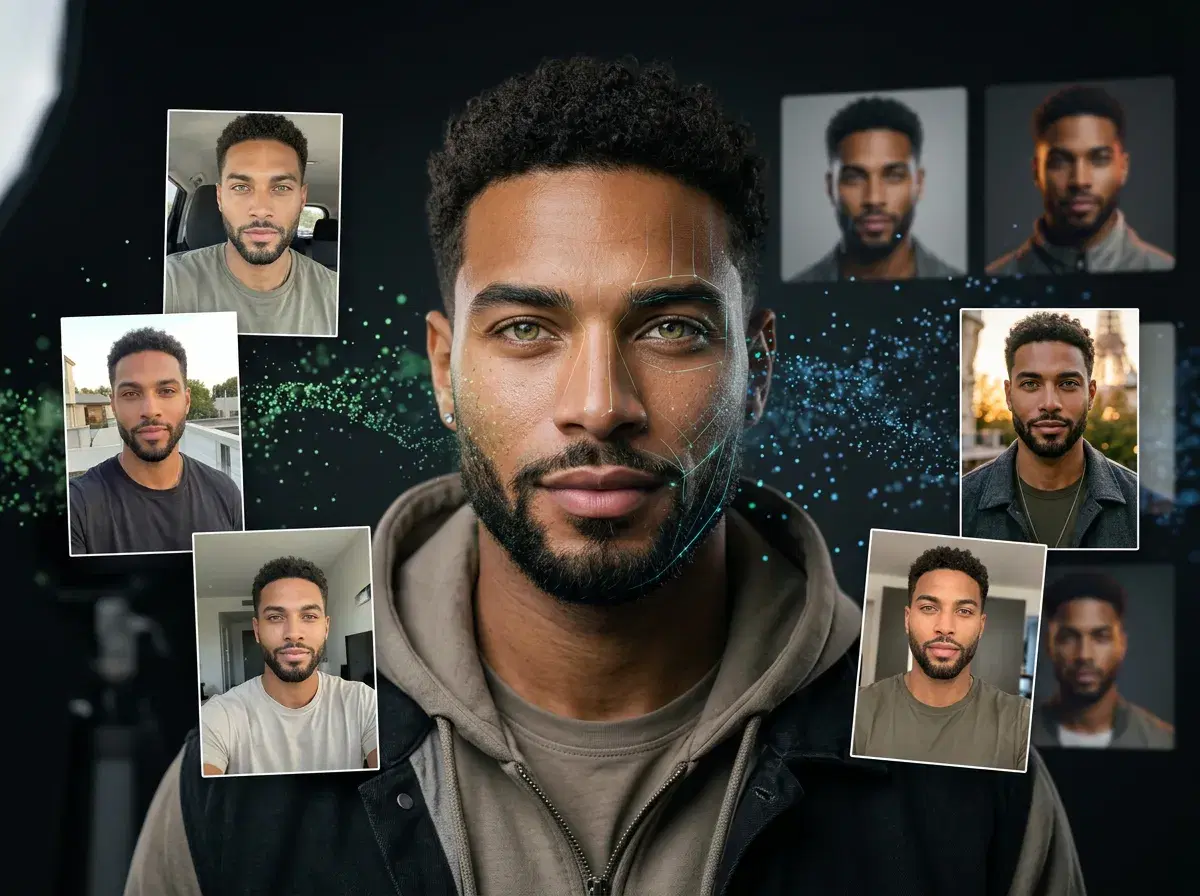
An AI profile picture generator is a service that learns what you look like from a handful of your own photos, then creates new, photorealistic images of you in poses, outfits, and settings you never actually photographed. Through 2025 and into 2026 these tools moved from novelty to mainstream — the results stopped looking like obvious filters and started looking like photos a real photographer took. That shift came from a change in the underlying technology: instead of pasting your face onto a stock template, modern services build a small model that represents you specifically, then generate fresh images from scratch.
This article explains the how behind those results. We will walk through where the training data comes from, how diffusion models turn noise into a finished portrait, the techniques that keep you recognizable across different styles, and the quality factors worth checking before you choose a service for your social media profile pictures.
How AI profile picture generators learn what you look like
Every AI profile picture generator starts with training data, which in this context simply means the photos you upload of yourself. Most services ask for somewhere between 8 and 20 images. The variety matters more than the count: different angles, expressions, lighting, and backgrounds give the system more information about the consistent features that make up your face, and less reason to lock onto incidental details like a single shadow or a particular shirt.
From those photos, the service builds a person-specific model — a compact set of learned adjustments that teaches a general image model what you, specifically, look like. This is the key difference between a fine-tuned model and a generic face-swap filter. A face-swap filter detects a face in a target image and blends your features over it, which is fast but tends to look flat and breaks down at unusual angles. A fine-tuned model instead learns your likeness and can generate you from scratch in scenes that never existed, with lighting and perspective that stay consistent.
Training data also raises privacy questions worth asking. Because your uploaded photos are used to build a model of your face, it is reasonable to check how long a service keeps those images, whether the trained model is private to your account, and whether you can delete both. Reputable AI profile picture generators let you remove your data and keep your trained model isolated to you rather than pooled with other users.
Diffusion models and the generation process
Once a service knows what you look like, it generates new images using a diffusion model. The name describes the method. The model learns by taking real images, gradually adding random noise until each picture is pure static, and learning to reverse that process step by step. To create a new image, it runs the process backwards: it starts from a field of random noise and, over many small steps, removes a little noise at a time until a coherent picture emerges. A useful analogy is teaching an artist to paint your portrait from reference photos, then asking them to start from a blank canvas and build the image up gradually.
Text prompts steer that refinement. When you choose a style — a studio headshot, an outdoor lifestyle shot, a particular wardrobe — the service translates it into a prompt that nudges each step toward the look you asked for. The prompt and your person-specific model work together: the prompt decides the scene and mood, while your model keeps the face in it looking like you.
Underneath sits a base model — the large, general-purpose image generator that has learned from millions of pictures what faces, fabric, light, and rooms look like. Common base architectures include SDXL and FLUX, alongside proprietary variants that companies tune themselves. Pose AI, for example, generates on a fine-tuned FLUX model, which is what lets it hold a strong likeness while still producing varied, realistic scenes.
This is also why generation takes minutes rather than an instant. Each image is the product of many sequential denoising steps, and higher quality usually means more steps and higher resolution, both of which cost computation. The wait is the refinement happening — the iterative path from noise to a finished portrait you can actually use.
- Training data is your own photos — 8 to 20 varied selfies teach the system your face.
- Diffusion models build images by starting from random noise and refining step by step.
- Fine-tuning methods (LoRA, DreamBooth, IP-Adapter) keep you recognizable across styles.
- Quality depends on input photos, resolution, lighting realism, and anatomical accuracy.
Identity lock, in one sentence
Identity lock is the technique that keeps a generated photo recognizable as you: the model reads facial structure from your uploaded selfie at generation time and holds it consistent while everything else — background, lighting, outfit, pose — changes. Pose does this with Nano Banana 2 from a single real selfie; there is no batch upload, no training run, and no synthetic training data involved — the reference is always your own photo, not a generated stand-in.
See it in native video generation or browse
AI profile picture styles to try one.
How AI keeps you looking like you
The central challenge for any AI profile picture generator is consistency: keeping you recognizably you across a dozen different poses, outfits, and backgrounds. Generate without an anchor and the base model will happily produce a different, generic person every time. Several techniques solve this.
The most common is a LoRA adapter — short for low-rank adaptation. Rather than retraining the entire base model, a LoRA learns a small set of adjustments that encode your likeness and slot into the base model at generation time. It is efficient to train and easy to apply. DreamBooth takes a heavier approach, fine-tuning more of the model on your images for a deeper imprint of your features. IP-Adapter works differently again, conditioning generation on a reference image so the output follows the face in that photo without a separate training step.
Services balance likeness against artistic freedom. Push too hard on consistency and every image looks stiff and identical; allow too much freedom and the face drifts away from yours. The better tools tune this balance so results feel varied but unmistakably you.
Two inputs shape how well any of this works: the quality of your source photos and how many you provide. Sharp, well-lit images that show your face clearly from a few angles give these techniques the most to work with. Blurry, heavily filtered, or near-identical photos give them less, and the likeness suffers.
Quality factors to evaluate
When you compare AI profile picture generators, a few quality factors separate convincing results from obviously synthetic ones. Resolution and clarity come first — a sharp, high-resolution image holds up as a profile picture across devices, while a soft, low-resolution one looks off the moment it is enlarged.
Lighting realism is the next signal. Natural images have direction and falloff to their light; weaker generators produce flat, evenly lit faces that read as artificial. Anatomical accuracy matters too — hands, ears, teeth, and the proportions of the face are where generation tends to slip, so they are worth a close look. Finally, check background coherence: the setting should make sense behind you, with styling appropriate to how you plan to use the photo, whether that is a LinkedIn headshot or a casual social avatar.
These factors also map onto the different approaches available, which the table below compares directly.
Comparing AI photo approaches
| Approach | Training Method | Typical Quality | Best For |
|---|---|---|---|
| Fine-tuned models (Pose AI approach) | Person-specific fine-tuning on a fine-tuned FLUX model | High resolution, strong likeness | Professional social media profile pictures |
| Face-swap filters | No training — your face blended onto a template | Variable, often flat | Quick novelty edits |
| Generic AI avatars | Style transfer with light personalization | Stylized, weaker likeness | Cartoon or artistic avatars |
| Manual photo editing | Human retouching of one existing photo | Depends on the editor's skill | Polishing a single strong source photo |
Fine-tuned models give the strongest combination of likeness and realism, which is why they have become the standard for professional-looking social media profile pictures.
The bottom line
Understanding the approach behind a tool tells you a lot about what to expect from it. For social media profile pictures, look for services using fine-tuned models like Pose AI rather than face-swap filters or generic avatars. Quality varies widely, and knowing how the technology works helps you choose the right tool.