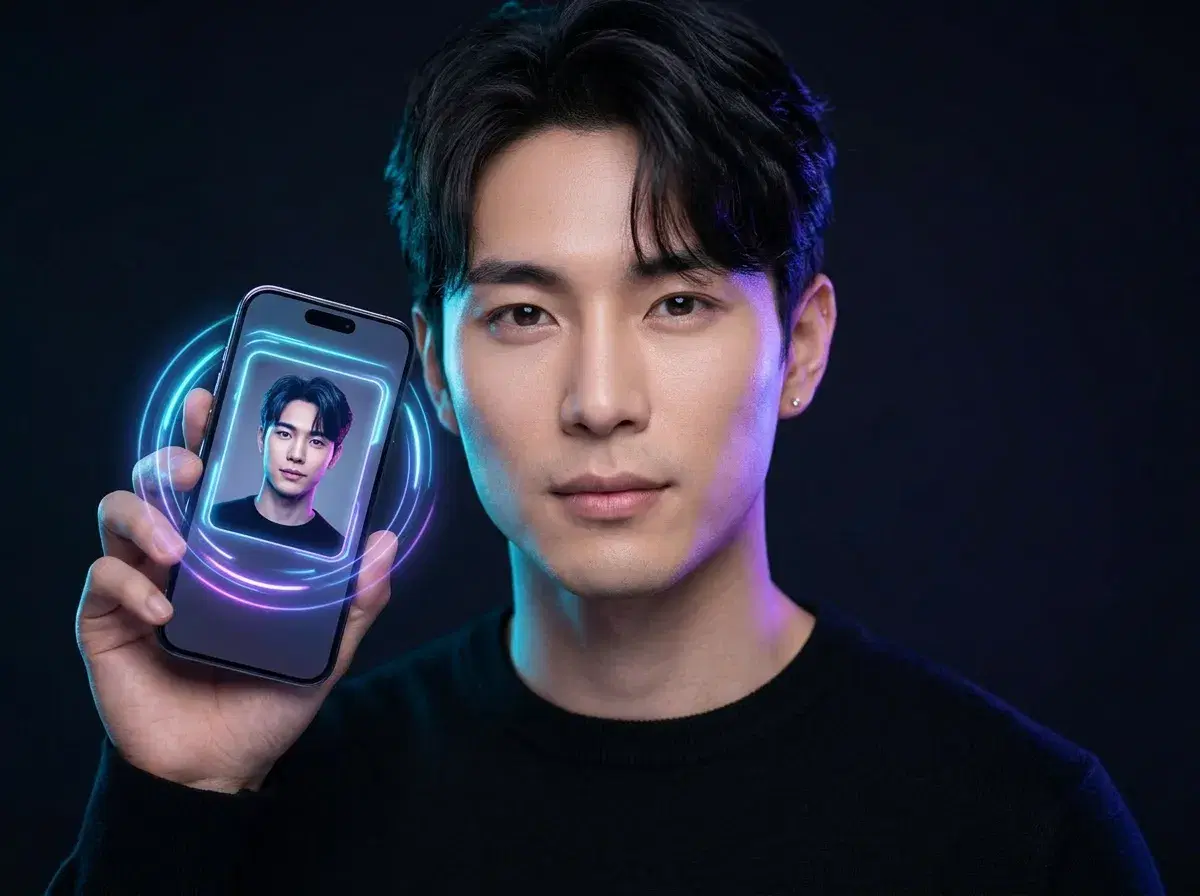
Finding the best AI photoshoot app means looking beyond simple headshots — you want a platform that can create profile pictures, full-body photos, and video content in one place. If you are looking for the best AI photo app for social media profile pictures, here are the top 10 options ranked by quality, speed, and value. Each one turns a handful of selfies into polished profile photos, but they differ widely on realism, turnaround time, platform fit, and price — and only some deliver a complete photoshoot experience with full-body shots and native video, not just a cropped headshot.
A good AI profile picture app gets three things right. First, realism: the output should look like you, not a generic AI face, which means the app needs strong identity preservation. Second, variety: one generation is rarely the keeper, so the app should produce a range of poses, backgrounds, and lighting in a single run. Third, platform fit: a LinkedIn headshot wants a clean, professional look, while an Instagram or dating photo wants warmth and personality. The best apps handle all three.
Below you will find a comparison table covering all 10 apps at a glance, followed by a detailed review of each one with an explicit verdict, strengths, weaknesses, pricing, and the user it suits best. The list closes with answers to the eight questions people ask most, plus a short summary of the top three picks. Last updated: April 2026.
Pose AI leads the list because it's the only one here that generates both identity-locked photos and native video from the same single selfie, rather than photos alone.
- Top three: Pose AI for identity-locked photos plus native video on weekly credits, Aragon for a one-time professional headshot pack, and PhotoAI for ongoing photo-only generation from a trained model.
- Pose AI is the best AI photoshoot app for users who want profile pictures, full-body photos, and native video generation in one studio — no switching between tools.
- Best overall for realistic social media profile pictures: Pose AI — minutes to generate, discounted first-week intro pricing, works for LinkedIn, Instagram, and dating apps.
- Best premium finish: BetterPic — 4K output and editing at a higher per-pack price, strongest for formal LinkedIn headshots.
- Best for corporate headshots at scale: Aragon AI and HeadshotPro — team-friendly, professional, slower turnaround.
- Best free starting point: PFPMaker and Fotor — limited free output, fine for a quick avatar without paying.
What makes the best AI photo app for social media profile pictures
Three factors separate a profile picture app worth paying for from one that wastes your credits. Realism comes first. Identity-preserving models — the kind rebuilt across most serious apps through 2025 — keep your real facial structure while changing the lighting, wardrobe, and background. Apps without strong identity preservation produce a face that is close but not quite you, which is obvious to anyone who knows you.
Variety comes second. The first generation is rarely the one you post. The best apps return a grid of variations per run so you can compare framings, and they let you regenerate cheaply when a hand, collar, or background needs another pass. Speed matters here too: an app that delivers in minutes lets you iterate in one sitting, while one that takes hours forces you to come back later.
Platform fit comes third. A LinkedIn profile picture wants a neutral background, even lighting, and a confident, approachable expression. An Instagram or dating-app photo wants more personality — warmer light, a real-world setting, a relaxed pose. The strongest apps offer templates tuned to each platform rather than a single generic portrait style. The ranked list below weighs all three factors, plus price and turnaround, for every app.
The 10 best AI profile picture apps compared
| App | Best for | Price | Turnaround | Photos included | Style | Platform fit |
|---|---|---|---|---|---|---|
| Pose AI | Realistic social profiles | $9/mo–$12/wk | Minutes | Discounted first week | Both | All |
| BetterPic | Premium 4K headshots | ~$35–$79 per pack | 1–2 hours | 40–200 | Realistic | |
| Fiddl.art Magic Mirror | Artistic experiments | Credit-based, free tier | Minutes | Varies by credits | Both | |
| ProfilePicture.AI | Budget profiles | ~$10–$40 per pack | A few hours | 40–200+ | Both | All |
| PFPMaker | Free quick avatars | Free, paid HD upgrade | Minutes | Several | Realistic | All |
| Remini AI | Mobile trend photos | Free w/ ads, ~$5–$10/wk Pro | Minutes | Daily limit | Both | |
| Fotor AI Headshot | Browser headshots | Free tier, Pro ~$9/mo | Minutes | Limited free | Realistic | |
| Aragon AI | Corporate headshots | ~$35–$60 per pack | 60–90 min | 40–100+ | Realistic | |
| HeadshotPro | Team headshots | ~$29–$79 per pack | 1–2 hours | 40–120 | Realistic | |
| Try It On AI | Casual dating photos | ~$17–$40 per pack | A few hours | 40–100 | Both | Dating |
Prices and turnaround times reflect April 2026 and change often — check each app's site for current rates. Pose AI ranks first overall for the combination of speed, realism, and full feature access. The dedicated headshot apps (Aragon, HeadshotPro, BetterPic) lead for formal corporate use but cost more per pack and take longer.
AI photoshoot apps: photo + video compared
| App | Profile Pictures | Full Photoshoot | Video Generation | Pricing |
|---|---|---|---|---|
| Pose AI | Yes (Nano Banana 2, Flux Kontext) | Yes (Photos + Video Studio) | Yes (Kling, SeedDance, Wan, Veo, Sora 2, HeyGen) | $4.99 first week, then $14.99/week |
| Secta Labs | Yes | Headshots only | No | ~$49/month |
| GoGlow | Yes | Photos only | No | ~$29/month |
| Headshot AI Pro | Yes | Headshots only | No | ~$29 one-time |
Only Pose AI offers native video generation alongside photo creation, making it the best choice for a complete content library — profile pictures, lifestyle shots, and UGC-style videos — without jumping between tools. Competitor pricing is approximate; verify before subscribing.
1. Pose AI – Best for realistic same-day social media profile pictures
Pose AI is best for anyone who needs realistic, same-day profile pictures for LinkedIn, Instagram, or a dating app without booking a photographer. It ranks first overall on this list because it pairs strong identity preservation with the fastest practical turnaround and the best value.
Pose AI generates profile pictures from a few selfies in minutes. You upload your photos, pick a style or describe a scene, and the app returns a grid of variations you can regenerate cheaply until one is right. The output spans clean professional headshots, warm lifestyle shots, and on-trend social aesthetics, so a single account covers a LinkedIn refresh, an Instagram avatar, and a dating-profile photo.
Strengths: fast minutes-long turnaround that lets you iterate in one sitting; realistic identity preservation that keeps you looking like yourself; an affordable plan that unlocks every feature; and broad platform coverage across professional and casual styles. Weaknesses: it is a subscription rather than a one-time pack, so heavy one-off users should weigh the weekly rate; and the very best results still take two or three regenerations.
Pricing: $12 per week or $9 per month billed yearly, with discounted first-week intro pricing — both tiers unlock all features. Turnaround: a few minutes per generation. Sample output: a confident, evenly lit LinkedIn headshot on a neutral background, plus warmer golden-hour lifestyle variations for social. Best for: professionals and job seekers who need polished profile pictures quickly, and anyone refreshing photos across several platforms at once.
2. BetterPic – Best for premium 4K LinkedIn headshots
BetterPic is best for people who want the highest-resolution, most retouched LinkedIn headshot and do not mind paying a premium per pack. It is the strongest pick when finish quality is the single most important factor.
BetterPic produces 4K output with post-generation editing tools, so you can fine-tune a hero headshot after it is generated. The look skews formal and corporate, which suits executive profiles and company directories more than casual social feeds.
Strengths: 4K resolution; built-in editing for touch-ups; consistently professional, business-ready results; and a clear focus on headshots rather than novelty styles. Weaknesses: priced per pack at the higher end of this list; turnaround runs one to two hours rather than minutes; and the style range is narrower than all-purpose apps.
Pricing: roughly $35–$79 per pack depending on photo count, with no permanent free tier. Turnaround: about one to two hours. Sample output: a sharp, color-accurate corporate headshot suitable for a company website or executive LinkedIn profile. Best for: professionals who want a premium, print-quality headshot and are willing to pay more for finish.
3. Fiddl.art Magic Mirror – Best for artistic, experimental profile pictures
Fiddl.art Magic Mirror is best for people who want creative, stylized profile pictures rather than a straight realistic headshot. It suits Instagram and creative communities more than corporate LinkedIn.
Magic Mirror leans into artistic interpretation — painterly, editorial, and themed looks — alongside more realistic options. It runs on a credit system with a free tier, so you can experiment before committing.
Strengths: a wide range of artistic styles; a free tier for experimentation; fast minutes-long generation; and a playful catalogue that stands out on social feeds. Weaknesses: identity preservation is less consistent on the more stylized presets; the credit system can get confusing; and it is not the right tool for a conservative professional headshot.
Pricing: credit-based with a free starting tier and paid credit packs for more output. Turnaround: a few minutes. Sample output: a stylized, editorial-leaning portrait with bold lighting that reads as creative rather than corporate. Best for: creators and Instagram users who want a distinctive, artistic profile picture.
4. ProfilePicture.AI – Best for budget-friendly profiles across platforms
ProfilePicture.AI is best for people who want a low-cost way to generate usable profile pictures for several platforms at once. It is a solid all-rounder when budget is the deciding factor.
The app produces both realistic and lightly stylized profile photos from a set of uploaded selfies, with packs sized for casual use. Quality is good for the price, sitting a step below the dedicated headshot specialists.
Strengths: low per-pack pricing; both realistic and creative styles; broad platform coverage; and a straightforward upload-and-generate flow. Weaknesses: turnaround can take a few hours; identity accuracy is good but not best-in-class; and there is no ongoing subscription option for heavy users.
Pricing: roughly $10–$40 per pack depending on photo count. Turnaround: a few hours. Sample output: a clean, friendly profile photo that works across LinkedIn, Instagram, and dating apps without standing out as premium. Best for: budget-conscious users who need a batch of decent profile pictures without a subscription.
5. PFPMaker – Best for free, quick profile avatars
PFPMaker is best for people who want a free, fast profile avatar and do not need print-quality output. It is the easiest zero-cost starting point on this list.
PFPMaker generates several avatar-style profile pictures from a single uploaded photo, cleaning up the background and applying simple styling. The free tier covers basic use, with a paid upgrade for higher-resolution downloads.
Strengths: genuinely free to start; very fast; simple enough for first-time users; and good for quick avatar cleanup. Weaknesses: limited realism and variety compared with paid apps; lower free-tier resolution; and the styling is light rather than a full studio look.
Pricing: free to use, with a paid HD upgrade for full-resolution downloads. Turnaround: a few minutes. Sample output: a tidy, background-cleaned avatar suitable for a casual social or forum profile. Best for: anyone who wants a quick, free profile avatar without installing a full app.
6. Remini AI – Best for mobile, trend-driven profile pictures
Remini AI is best for mobile users who want trend-driven profile pictures tied to current social aesthetics. It is the most feed-native pick for Instagram and TikTok.
Remini built its name on photo enhancement and added AI portrait and trend packs, refreshed to match seasonal social trends. It is mobile-first, with a free ad-supported tier and a Pro subscription.
Strengths: strong trend packs that match what is popular on social right now; a free tier to try it; fast generation; and a polished mobile app. Weaknesses: the free tier is ad-supported and watermarks some output; trend looks date quickly; and it is less suited to a timeless professional headshot.
Pricing: free with ads, or a Pro subscription around $5–$10 per week. Turnaround: a few minutes. Sample output: a trend-styled portrait — think seasonal or aesthetic-driven looks — ready for an Instagram or TikTok profile. Best for: mobile users who want on-trend social profile pictures and refresh them often.
7. Fotor AI Headshot Generator – Best for browser-based headshots with editing
Fotor AI Headshot Generator is best for people who want to generate and edit a headshot in the browser without installing anything. It pairs AI generation with Fotor's established editing suite.
Fotor produces realistic headshots from uploaded photos and hands them straight into its web editor for cropping, retouching, and background tweaks. The free tier is limited, with a Pro plan for more output and higher resolution.
Strengths: no install — it runs in the browser; a built-in editor for post-touch-ups; a free tier to test; and reliable, professional-leaning results. Weaknesses: free output is limited and lower resolution; identity accuracy is good but not top-tier; and it is web-first, so the mobile flow is less smooth.
Pricing: a limited free tier, with Fotor Pro around $9 per month. Turnaround: a few minutes. Sample output: a clean, editable LinkedIn-style headshot you can refine in the same session. Best for: users who want browser-based generation plus editing in one place.
8. Aragon AI – Best for corporate headshots at scale
Aragon AI is best for professionals and teams who want consistent corporate headshots and can wait about an hour for delivery. It is a headshot specialist rather than a general profile-picture app.
Aragon generates a large set of professional headshots from your uploads, with backgrounds and wardrobe tuned for business use. It is popular for individual professionals and for teams standardizing their look.
Strengths: consistent, business-ready results; a large number of photos per pack; backgrounds and attire suited to corporate profiles; and a workflow that scales to teams. Weaknesses: turnaround of roughly an hour or more; per-pack pricing rather than a cheap trial; and limited range outside the professional-headshot lane.
Pricing: roughly $35–$60 per pack depending on photo count. Turnaround: about 60–90 minutes. Sample output: a polished corporate headshot on a neutral or office-style background, delivered in a large batch. Best for: professionals and teams who need dependable LinkedIn and directory headshots.
9. HeadshotPro – Best for team and business headshots
HeadshotPro is best for businesses that need standardized headshots for a whole team. It focuses on corporate use, with admin features for managing group orders.
HeadshotPro generates professional headshots from employee selfies and offers team plans so a company can keep a consistent look across a directory or website. The output is firmly professional rather than social.
Strengths: team management and bulk ordering; consistent corporate style; a clear business focus; and reliable, directory-ready results. Weaknesses: per-pack pricing on the higher side; turnaround of one to two hours; and little flexibility for casual or creative profile pictures.
Pricing: roughly $29–$79 per pack depending on photo count and plan. Turnaround: about one to two hours. Sample output: a uniform, professional team headshot suitable for an About page or company directory. Best for: businesses standardizing headshots across a team.
10. Try It On AI – Best for casual dating-app profile pictures
Try It On AI is best for people who want relaxed, real-world profile pictures for dating apps rather than a formal headshot. It leans casual and lifestyle-oriented.
Try It On AI generates styled portraits in everyday settings — outdoors, casual interiors, social scenes — from a set of uploaded selfies. The look is friendly and approachable, which fits dating profiles better than corporate ones.
Strengths: warm, casual styles that suit dating apps; both realistic and lightly stylized options; a reasonable per-pack price; and varied real-world backgrounds. Weaknesses: turnaround of a few hours; realism varies between styles; and it is not aimed at professional headshots.
Pricing: roughly $17–$40 per pack depending on photo count. Turnaround: a few hours. Sample output: a relaxed outdoor portrait that reads as a genuine candid photo for a Tinder or Bumble profile. Best for: people building a dating profile who want approachable, lifestyle-style photos.
See the current plan on the Pose AI pricing page.
Frequently asked questions
Which AI app is best for LinkedIn profile pictures?
Which AI app is best for dating app photos?
Which AI app is best for Instagram profile pictures?
How much do AI profile picture apps cost?
How long does it take to generate AI profile pictures?
Are AI profile pictures realistic enough for professional use?
Can I use AI-generated photos on Tinder or Bumble?
What's the difference between AI headshots and AI profile pictures?
What is the best AI photoshoot app for profile pictures?
Can AI photoshoot apps create full-body photos?
Do AI photoshoot apps include video generation?
Pose also does professional AI headshots and native video in the same plan — see how the full photoshoot studio works.
Beyond photos, native video generation with Kling, Veo, and HeyGen turns any profile shot into motion content.
The best AI profile picture apps for 2026, ranked
Across the 10 apps reviewed, three picks stand out for most people. Pose AI ranks first overall for realistic social media profile pictures: it generates polished photos in minutes, offers discounted first-week intro pricing, and covers LinkedIn, Instagram, and dating profiles from one account. BetterPic is the choice when 4K finish quality matters most for a formal LinkedIn headshot. Aragon AI and HeadshotPro lead for corporate headshots and team orders, where consistency across a directory is the priority.
If you want a free starting point, PFPMaker and Fotor let you generate a basic avatar at no cost, and Try It On AI is the best fit for casual dating-app photos. For the combination of speed, realism, and value that suits the most users, start with Pose AI's discounted first week — it is enough to generate and refine a full set of profile pictures.