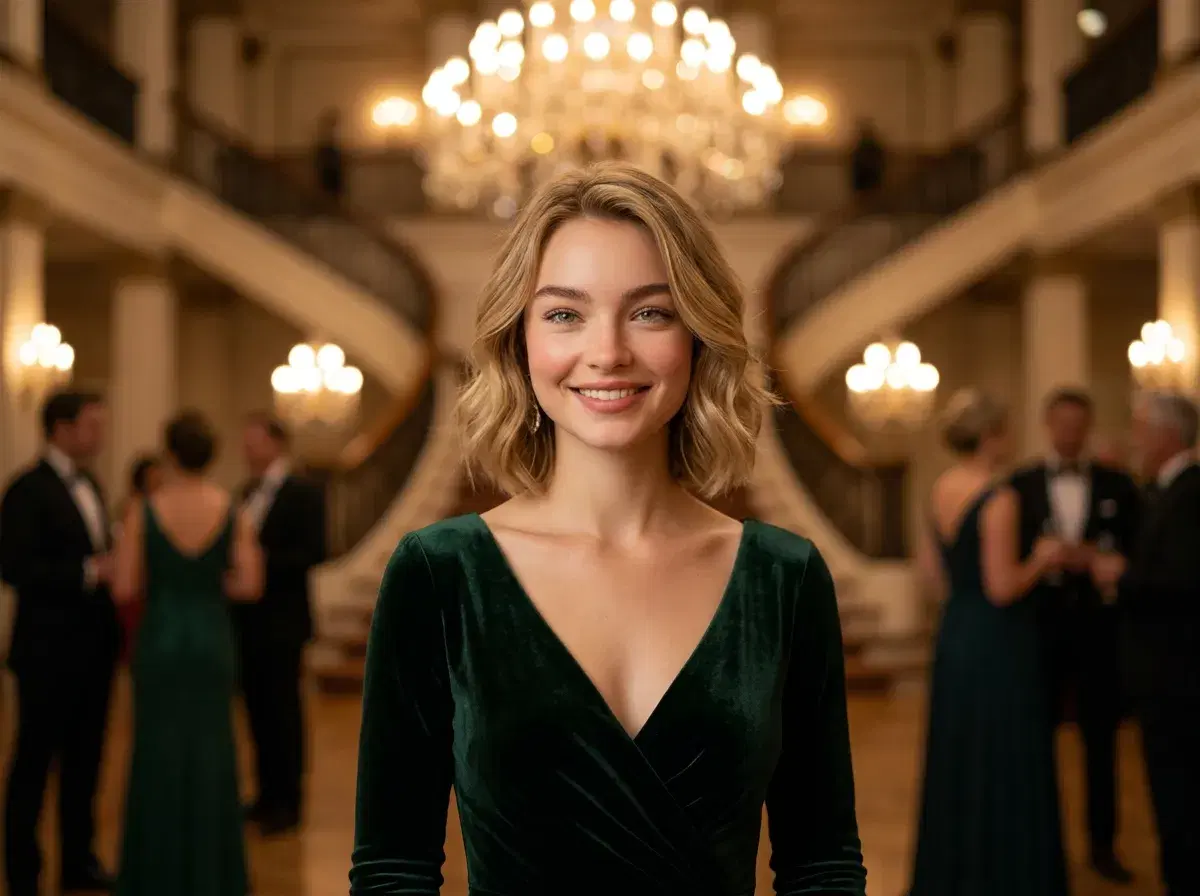
AI prom photos use generative models to create studio-quality prom images from selfies, no physical shoot required. Instead of booking a photographer or fighting gymnasium lighting, you upload one photo and get polished prom portraits in formal attire and prom settings.
This guide explains what AI prom is, how to generate prom pictures, and how Pose AI compares to other tools like NightCafe and PhotoAI.
Ready to try it? Generate AI prom photos from one selfie.
- AI prom photos are studio-quality prom pictures generated from a selfie — no photographer, studio, or physical outfit required.
- Pose AI turns one selfie into realistic prom portraits with identity-locked Nano Banana 2, across ballroom, staircase, and golden-hour styles.
- Pricing: $4.99 the first week, then $14.99/week with 400 credits — results in under 10 seconds, no watermarks.
- Describe any formal look (dress, tuxedo, or suit) and any venue; Pose renders it while keeping your face unmistakably you.
What is AI prom?
AI prom is using generative AI to create prom photos without a photoshoot. You provide one selfie, choose a prom look and setting, and an image model renders a realistic portrait — formal attire, event lighting, and a prom backdrop — around your identity-locked face.
It's popular because it's fast, affordable, and flexible: you can try multiple outfits and venues without owning a single dress or booking a studio, and everything looks like you rather than a generic model.
How to generate prom pictures with AI
Upload one clear selfie. Pose AI reads your face from a single photo — there's no lengthy model-training step and no need to upload a large batch.
Pick a prom style. Choose a formal look (a dress, a tuxedo, or a suit) and a setting — a grand staircase, a dramatic ballroom, or a golden-hour backdrop.
Generate and download. Each prom photo renders in under 10 seconds; create a set of looks, pick your favorites, and download them with no watermarks — all on your 400 weekly credits.
Pose AI vs NightCafe vs PhotoAI for prom photos
| Tool | Identity lock | Native video | Approach | Pricing |
|---|---|---|---|---|
| Pose AI | Yes (Nano Banana 2, one selfie) | Yes (Kling, HeyGen, Sora 2) | One selfie, in seconds, no watermarks | $4.99 first week, then $14.99/week (400 credits) |
| NightCafe | Limited (prompt-based) | No | Text-to-image art generator, credit-based | Free tier + paid credits (varies) |
| PhotoAI | Yes (trained model, upload a batch) | No | Train a model on many photos, then generate packs | Paid plans (varies) |
Pose AI is the fastest identity-locked, one-selfie option with native video; NightCafe is a general art generator, and PhotoAI requires training on a batch of photos first.
Tips for realistic AI prom photos
Use a clear, well-lit selfie facing the camera — it gives the model the most to work with. Name the outfit color and fabric ("emerald satin gown," "charcoal tuxedo") and the setting and lighting ("ballroom with warm chandelier light," "rooftop at golden hour") for a stronger result.
Generate a few variations and pick the most natural one. Keep it tasteful and age-appropriate — prom portraits work best as classic, formal photos.
See all styles and the weekly plan on the Pose AI home page.