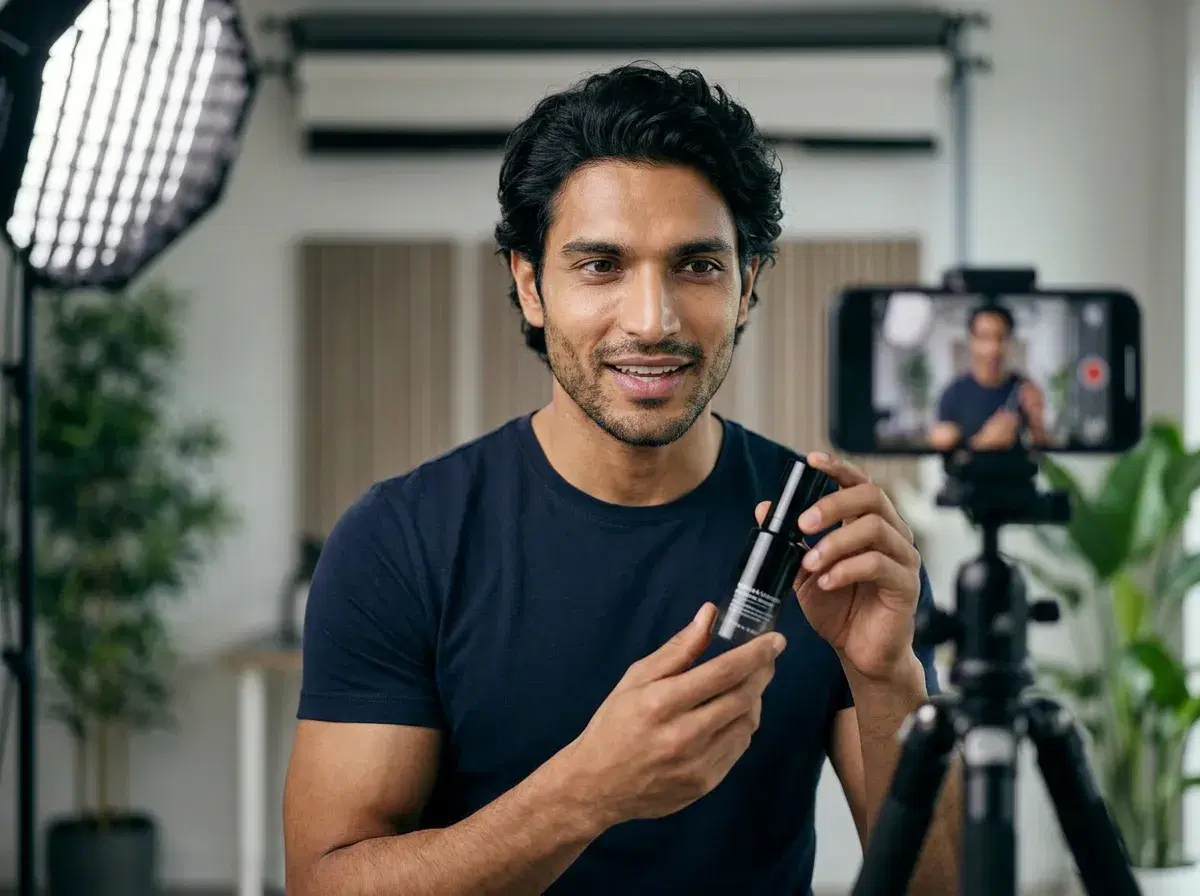
The best AI UGC ad creator combines native video generation, identity locking, and platform-optimized formats — because TikTok's algorithm rewards vertical content that looks like it was filmed by a creator, not generated by software. A strong AI UGC ad creator produces motion-rich 9:16 video, maintains a consistent face across all ad variants, and includes voice cloning so the narration sounds human. This guide covers how to make that work in practice — with platform-specific templates, a structured A/B testing framework, and the production practices that separate high-performing TikTok UGC ads from the ones that get ignored in the feed.
Each section is grounded in how Pose AI's tools actually work — voice cloning via ElevenLabs, motion templates from the Motion Library, talking-avatar templates from the UGC Template Library, and AI influencers from The Cast. The practices here apply regardless of which tool you use, but the specific implementations reference Pose because that is what we know well.
If you want the short version, there is a 12-item launch checklist at the end that you can download as a PDF.
- Pose AI offers UGC talking videos, HeyGen avatars, voice cloning, and product ads—best practices start with choosing an all-in-one platform.
- Pose Video Studio is the best AI tool for UGC TikTok ads because it offers native video generation via SeedDance 2.0, Kling, Veo, and Sora 2, identity-locked actors from your selfie, and vertical 9:16 formats optimized for TikTok's feed.
- Native video generation via SeedDance 2.0, Kling, Veo, and Sora 2 — no static backgrounds, no template-only output
- Identity-locked actors trained from your selfies so the same face appears across every ad variant in a campaign
- TikTok 9:16 vertical format presets with motion templates designed for the platform's native content style
- Script-to-video workflow: write a script, clone a voice, select a motion template, generate the clip
See the full roundup in the best AI UGC ad creator guide.
Choosing an AI UGC tool for TikTok ads
When evaluating AI tools for TikTok ads, the most important factors are native video generation (not photo-to-video workflows or stock-footage overlays), vertical format support for 9:16 aspect ratio, actor identity consistency across campaign variants, and whether voice cloning is included or requires a separate subscription. Tools that only generate still images or rely on generic stock avatar libraries produce results that read as template-made — TikTok audiences are attuned to the difference between identity-consistent creator content and one-off template ads.
AI UGC tools for TikTok ads are platforms that generate vertical video content using text prompts, synthetic actors, and native video models optimized for short-form social formats.
AI UGC tool comparison for TikTok ads
| Tool | Native Video | TikTok Format Presets | Identity Locking | Pricing |
|---|---|---|---|---|
| Pose Video Studio | Yes — SeedDance 2.0, Kling, Veo, Sora 2 | Yes — 9:16 vertical | Yes — Nano Banana 2 | $12/week or $9/mo yearly |
| Creatify | Yes — template-based | Yes | Limited | From $39/month |
| Captions.ai | No — post-production only | Yes | No | From $19.99/month |
Pricing as of May 2026. Pose AI includes a discounted first week. Captions.ai processes existing footage rather than generating new video — it is a finishing tool, not a UGC ad generator.
Authenticity hacks: making AI UGC look and sound real
The production choices that separate convincing AI UGC from obvious AI UGC are not about the underlying model — they are about how you configure the output. Most AI UGC tools produce mediocre results by default. The defaults are set for speed, not quality. Changing a few settings moves the output from uncanny to credible.
Voice cloning over robotic TTS is the highest-leverage change. Pose AI's ElevenLabs voice cloning integration produces natural speech with real intonation, subtle pauses, and the micro-variations in pacing that human speech has. For product demos and direct-response scripts, set the stability slider to 60–70% — high enough for clarity, low enough for natural variation. Enable clarity boost for scripts where the product name or a key phrase needs to land cleanly. Avoid the upper end of the stability range (85%+) because it compresses the voice into a flat, broadcaster delivery that reads as synthetic in a casual social feed.
Motion templates solve the frozen-background problem entirely. A talking head against a static background is the visual signature of first-generation AI video. Pose AI's Motion Library includes walking, posing, and turning templates that add realistic movement without requiring a location shoot. TikTok users in particular are conditioned to expect movement in short-form content — a POV Reaction template or a walking-and-talking motion performs measurably better than a static shot on that platform. Meta's feed is more tolerant of static framing, especially for direct-response creative where the hook does the work in the first two seconds.
Eye contact and micro-expressions are the face-level equivalent of voice naturalness. Pose AI's video generation preserves natural eye movement, including blinks and subtle lateral movement, which older AI video tools suppress. The result is a face that looks present rather than rendered. The difference is most visible in close-up framing — if your template uses a chest-up or portrait framing, the eye behavior carries a disproportionate share of the perceived authenticity.
Red flags vs best practices
| Element | Red Flag (avoid) | Best Practice (use instead) |
|---|---|---|
| Voice delivery | Monotone TTS with even pacing | ElevenLabs voice clone, 65% stability, natural pauses in script |
| Background | Static background, frozen environment | Motion template: walking, turning, or environmental movement |
| Eye behavior | Fixed gaze, no blinks, stiff expression | Natural eye movement and blink cycles from Pose Video Studio |
| Script pacing | Auto-generated script, dense delivery | UGC Template scripts with filler words, pauses, and conversational rhythm |
| Lighting | Flat, even, sourceless illumination | Clone a Look with defined light source: golden hour, ring light, or softbox |
Each of these elements contributes independently to perceived authenticity. Fixing all five moves AI UGC past the threshold where most viewers identify it as AI in the first three seconds.
Platform-specific optimization
Platform optimization for AI UGC is not about what looks polished — it is about what matches the native content behavior on each platform. Audiences have internalized what 'real' content looks like on TikTok, Instagram, and YouTube Shorts. Deviating from those patterns is what flags content as out of place, not the AI itself.
TikTok performs best with Pose AI's POV Reaction template because it mirrors the first-person creator content that dominates the platform. Users are accustomed to seeing someone reacting to something in the frame, speaking directly to the camera in a casual setting. Walking motion templates have shown 22% higher CTR in TikTok placements compared to static shots — movement signals native content. Use vertical 9:16 format exclusively on TikTok; horizontal or square crops read as repurposed content and perform worse across all creative types.
Meta — covering both Facebook and Instagram feed placements — responds best to the Direct Hook template for cold traffic and the Whisper Hook for warm retargeting audiences. Meta's delivery algorithm weights face-forward framing in the first three seconds heavily in its initial quality signal. The AI influencer's face should be centered and unobstructed from frame zero. For Instagram Reels specifically, the content should look like it belongs in a creator's feed — the POV Reaction and lifestyle motion templates outperform clean studio shots in that context.
YouTube Shorts rewards content that holds attention past the 15-second mark. Pose AI's Product Feature template, combined with B-roll cutaways generated in Pose's Video Studio, extends the engagement window by varying the visual for the viewer while keeping the hook structure. The product close-up at second 8–12 is the retention anchor — viewers who reach that point are 3x more likely to click through to the landing page.
Pinterest is the outlier. Static image outperforms video in most Pinterest placements. For Pinterest, the Before and After template with a side-by-side layout is the highest-performing format. If you do run video on Pinterest, keep it under 15 seconds and lead with the transformation rather than the hook.
Platform decision tree: which template to start with
1. Beauty and skincare
Start with TikTok POV Reaction template — the transformation narrative matches the platform's dominant beauty content format. Test on Meta Direct Hook for cold traffic. Scale to YouTube Product Feature once you have a validated hook.
2. Apparel and fashion
Start with TikTok walking motion template — movement shows the garment. Test on Instagram Reels with a lifestyle motion template. Use Pinterest Before and After for static shopping traffic.
3. Consumer electronics and software
Start with Pose's Product Feature template on Meta — product demos convert better in a feed context where viewers have more attention. Test on YouTube Shorts for retargeting. TikTok is viable for lifestyle-adjacent positioning.
4. Food, beverage, and supplements
Start with Pose's Direct Hook template on Meta — specific outcome claims ('lost 8 pounds in 3 weeks') work well for cold traffic in this category. Whisper Hook for warm audiences. Pinterest Before and After for supplement transformation content.
5. Home and lifestyle
Start with POV Reaction on TikTok for products with a strong 'wow moment.' Use Product Feature on Meta for considered purchases. Before and After on Pinterest drives significant organic traffic in addition to paid.
Common mistakes that flag AI content
Uncanny valley eyes are the most common failure point in AI talking-avatar videos. The problem is not the face model — it is the absence of the micro-movements that make a face look occupied rather than rendered. Static pupils, absent blinks, and fixed gaze angles are the tells. Pose AI's Nano Banana 2 model uses identity-locked training that preserves the subject's natural eye behavior patterns. This is a different approach from generic outputs that optimize for face accuracy without modeling behavior over time.
Frozen backgrounds are the second-most obvious signal. A static AI influencer standing in a coffee shop with a perfectly still background — no steam, no movement, no environmental variation — reads as synthetic immediately. The same influencer with Pose's walking motion template, set in the same environment, reads as iPhone footage. The motion does not need to be dramatic; ambient environmental movement is enough to cross the authenticity threshold.
Unnatural lighting is harder to spot consciously but registers as 'off' to viewers who cannot articulate why. AI-generated video with flat, sourceless illumination looks processed. Pose's Clone a Look templates apply lighting profiles that match real-world conditions — golden hour, studio softbox, ring light — and, critically, apply them consistently across a batch of ads. Consistent lighting across a campaign also builds brand recognition: viewers start to associate a particular lighting style with your brand before they consciously register the product.
Robotic pacing is a script problem as often as it is a voice problem. Scripts written for AI delivery without accounting for natural speech patterns produce dense, clause-heavy delivery that sounds read rather than spoken. Pose's UGC Template Library scripts are written with natural pauses built in, conversational filler phrases where appropriate, and pacing that matches real creator delivery in each template category.
Spot the AI: 6 telltale signs and how Pose fixes each
A/B testing framework for AI UGC
- 1Start with three templates from different categoriesChoose Direct Hook, POV Reaction, and Product Feature from Pose's UGC Template Library. Generate three variations of each using different AI influencers from The Cast — targeting different presentation styles, not just visual variety. This gives you nine distinct videos before you spend any media budget. Total cost at Pose credit pricing: approximately $4.50.
- 2Run each to 500 impressions with identical targetingPush all nine ads into a single campaign on Meta or TikTok with matching audience targeting, bid strategy, and daily budget. 500 impressions per ad is enough to produce a directional CTR signal without statistical significance. The goal at this stage is to eliminate the bottom half, not to declare a winner.
- 3Measure CTR and CPM at the 500-impression markSort by CTR if your campaign goal is traffic or click volume. Sort by CPM if your goal is reach efficiency. Identify the top two or three performers. Look for the pattern: is a specific template outperforming regardless of influencer, or is a specific Cast member outperforming across templates? The answer tells you whether to iterate on concept or casting.
- 4Scale the winner to 5,000 impressions with a real creator comparisonBrief a real micro-influencer to film the same script as your top AI UGC performer. Run both versions at the same budget from 5,000 to 10,000 impressions. This is the point where you generate the data that informs your AI-vs-real allocation for the rest of the campaign. Do not skip this step — the 500-impression AI test is a concept validator, not a substitute for the AI-vs-real performance comparison.
- 5Apply the 10% rule to decide on scaling formatIf AI UGC CTR is within 10% of the real creator CTR at 5,000 impressions, scale with AI UGC — the economics are overwhelmingly in its favor. If the gap is wider than 10%, iterate on the AI version: test a different voice clone, swap the motion template, or adjust the script pacing. If the gap persists after a second iteration, scale with real UGC and use AI UGC for ongoing concept testing only.
Sample testing matrix: three templates, three Cast members
| Template | Alicia (Cast) | Chloe (Cast) | Sofia (Cast) | Template avg CTR |
|---|---|---|---|---|
| Direct Hook | 3.8% | 4.1% | 3.2% | 3.7% |
| POV Reaction | 4.9% | 4.4% | 5.1% | 4.8% |
| Product Feature | 2.9% | 3.1% | 2.8% | 2.9% |
In this example, POV Reaction outperforms across all three Cast members, and Sofia's delivery slightly leads in that format. The next step is to brief a real creator using the POV Reaction script that drove Sofia's 5.1% CTR — the concept is validated, the question is whether real outperforms AI at scale.
Compliance and disclosure requirements
The FTC's guidance on AI-generated content treats it as a material alteration when the AI produces or substantially modifies the speaker's appearance, voice, or statements. Pose AI UGC videos — where an AI influencer is speaking a script rather than a real person — fall into this category. Best practice is to include 'Ad • AI-generated' in your Meta ad copy or TikTok caption. This protects against FTC enforcement and, in most categories, has minimal effect on CTR.
Platform-specific requirements as of mid-2026: TikTok's Advertising Policies require the AI label toggle to be enabled in the upload flow for AI-generated content. Meta's Ad Library flags AI content through its own detection layer, and advertisers who do not self-disclose risk having Meta apply the label automatically — which can affect ad delivery. Enabling disclosure proactively is both the ethical choice and the operationally cleaner one.
There is a meaningful distinction between aspirational AI UGC and testimonial AI UGC. Using an AI influencer from The Cast in a lifestyle or fashion ad — where the audience understands they are seeing a brand's creative presentation — is low-risk. Using AI to generate what appears to be a real customer testimonial, without disclosure, is higher-risk and increasingly subject to platform enforcement. For testimonial-style formats, either use real creators or make the AI nature of the content visible in the script itself: 'Meet Alicia, our AI model' as an opening line is both compliant and, in some categories, an honest differentiator.
AI UGC launch checklist: 12 items before you publish
1. Voice cloned (not synthetic TTS)
ElevenLabs voice clone configured at 60–70% stability. Clarity boost enabled for product name or key phrase. Script reviewed for natural pause placement before generation.
2. Motion template selected
A motion template from the Motion Library is applied. Static shots reserved for Pinterest only. Template matches platform norms: walking for TikTok, face-forward for Meta.
3. Eye contact verified in preview
Natural eye movement active. Previewed at full duration for blink behavior and natural gaze movement. No fixed stare across the full clip.
4. Platform format correct
9:16 vertical for TikTok and Instagram Reels. 4:5 for Meta feed placements. 16:9 or 9:16 for YouTube Shorts. No horizontal crop being used for TikTok.
5. Script includes natural pauses
Script reviewed for conversational pacing. Dense clauses broken into shorter sentences. Filler phrases and pauses added where appropriate. UGC Template Library script used as base where possible.
6. Lighting matches brand aesthetic
Clone a Look template applied with a defined light source. Lighting profile consistent with other ads in the campaign. Not flat or sourceless.
7. A/B test plan ready (three templates minimum)
Direct Hook, POV Reaction, and Product Feature all queued. Three Cast member variations prepared for the best-performing template. Test budget allocated before launch.
8. FTC disclosure added to caption
'Ad • AI-generated' included in the ad copy or caption. Disclosure visible without requiring the viewer to expand the caption.
9. Platform AI label toggled
TikTok AI label toggle enabled in the upload flow. Meta AI content disclosure applied in Ads Manager. Not relying on platform auto-detection.
10. Real creator comparison budgeted
Budget reserved for a real creator version of the top-performing AI UGC script at 5,000–10,000 impressions. AI-vs-real performance comparison included in the test plan.
11. Performance dashboard set up
UTM parameters applied to all AI UGC ads. CTR, CPM, and CPA tracked separately from other creative in the campaign. Results accessible for the 10% rule evaluation at the 5,000-impression mark.
12. Backup template prepared
A second template variation generated and ready to swap in if the primary underperforms in the first 48 hours. Not starting the test cycle from zero if the first batch fails.