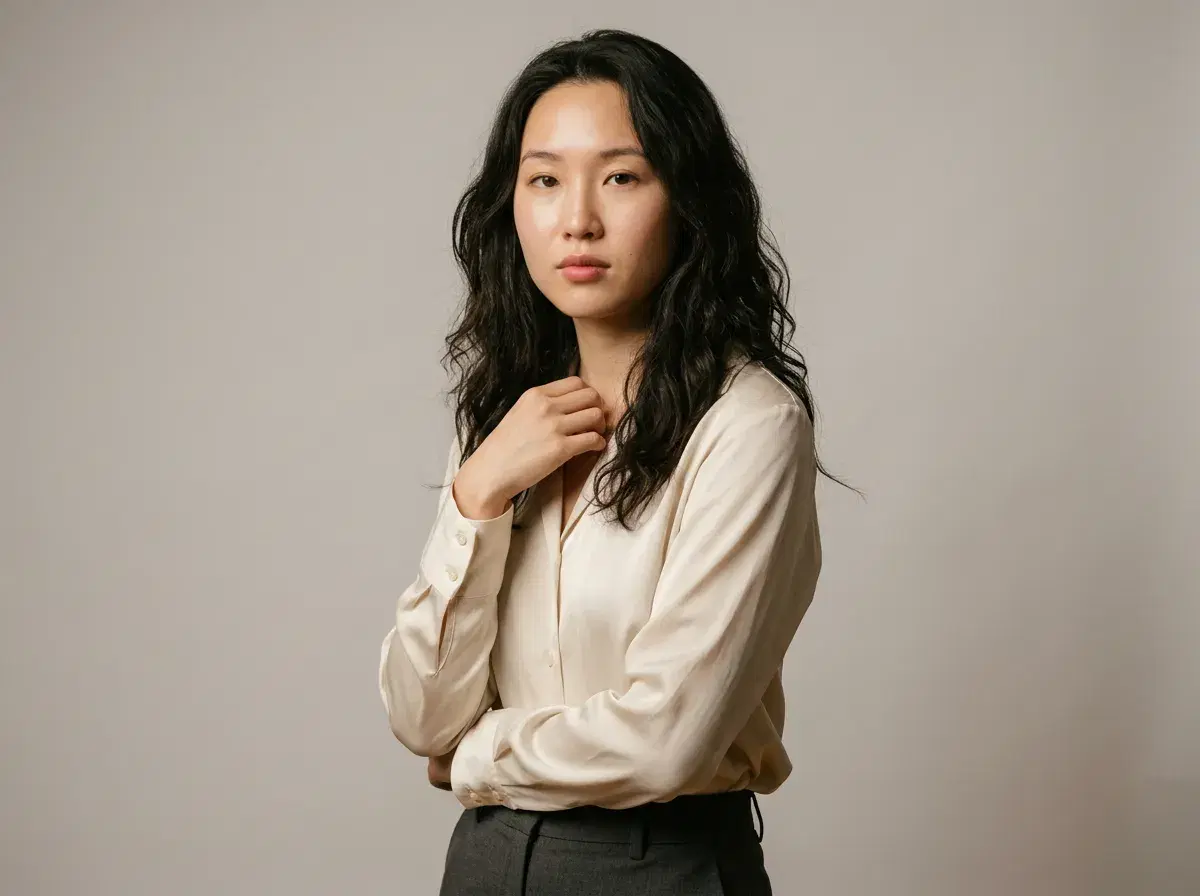
Learning how to pose for photos is mostly about a few small adjustments: where you put your weight, what your hands are doing, and how relaxed your face looks. Good photo poses are less about rigid rules and more about angles and expressions that feel natural to you.
This guide covers the posing tips that make the biggest difference — body angles, hand placement, facial expressions, and lighting — so you look confident and at ease in any shot.
And if you would rather skip the practice, Pose AI generates professional photos with flattering posing built in, so you get polished results without memorizing a single technique.
- Great photo poses combine relaxed shoulders, slight body angles, natural hand placement, and confident facial expressions that feel authentic to you.
- Angle your body slightly away from the camera instead of standing square-on — it looks more natural and flattering.
- Keep hands soft and busy: rest them, let them touch something, or give them a light task so arms do not look stiff.
- Relax your jaw, breathe out before the shot, and aim for a genuine expression rather than a held smile.
- Use soft, directional light and a simple background so the focus stays on you.
- Short on time? Pose AI generates photos with optimized posing automatically from a single selfie.
Understanding Photo Posing Basics
Photo posing is the intentional positioning of your body, hands, and face to create flattering angles and convey the right mood in an image. It is the difference between a stiff snapshot and a photo that looks composed and confident.
You do not need to be a model to pose well. The goal is to look relaxed and intentional, not posed — small, deliberate adjustments read as natural once you know what to look for.
Body Positioning and Angles
Start by turning your body roughly 45 degrees away from the camera rather than facing it straight on. A slight angle slims the silhouette and adds depth, while a square-on stance can feel flat and confrontational.
Shift your weight onto your back foot to create a gentle S-curve through your posture, and keep your shoulders down and relaxed. Leave a small gap between your arms and your torso so your frame reads clearly. If you are seated, sit forward on the chair and keep your spine long rather than sinking back.
Hand Placement
Hands are where most poses go wrong, because idle arms tend to lock straight and look tense. Give your hands something to do: rest them in pockets with thumbs out, hold a prop like a coffee cup or a bag strap, or lightly touch your collar, hair, or a nearby surface.
Keep fingers soft and slightly separated rather than clenched, and avoid pressing palms flat against your body, which flattens and widens them. A relaxed hand instantly makes the whole pose look more natural.
Facial Expressions
A natural expression starts with a relaxed jaw and a small exhale right before the shutter — holding a smile too long makes it look forced. For a genuine smile, think of something that actually amuses you, which engages the eyes as well as the mouth.
Lower your chin slightly and push your forehead a touch toward the camera to define your jawline and avoid an unflattering angle. Soften your gaze, and if direct eye contact feels stiff, look just past the lens or slightly off-camera for a candid feel.
Lighting and Environment
Posing and lighting work together. Soft, directional light — like window light or open shade — is the most forgiving, so turn your face toward the light source to even out shadows. Harsh midday sun overhead creates dark eye sockets, so seek shade or shoot during golden hour when you can.
Keep the background simple and uncluttered so it does not compete with you, and put some distance between yourself and the backdrop for a clean, slightly blurred separation that keeps attention on your pose.
Practicing Poses
The fastest way to improve is to practice in front of a mirror so you can see which angles feel and look right. Save a few reference images of poses you like and try to recreate them, paying attention to weight, hands, and chin position.
When you are being photographed, move in small increments between frames rather than freezing in one position — subtle shifts give you and the photographer more options to choose from.
Prefer a shortcut to polished results? Generate AI-generated professional headshots with flattering posing built in, from a single selfie.
Let AI Handle the Posing
Posing well takes practice, and not everyone has the time or a photographer on hand. Pose AI generates professional photos with optimized posing automatically — natural body angles, relaxed hands, and confident expressions — so you get studio-quality results without memorizing techniques or booking a shoot.
Upload one selfie, choose a style, and Pose AI produces a set of polished photos in seconds, all powered by native image generation with no watermarks.
Want to skip the studio entirely? Read how to get professional headshots without a photographer and the styles that work best.