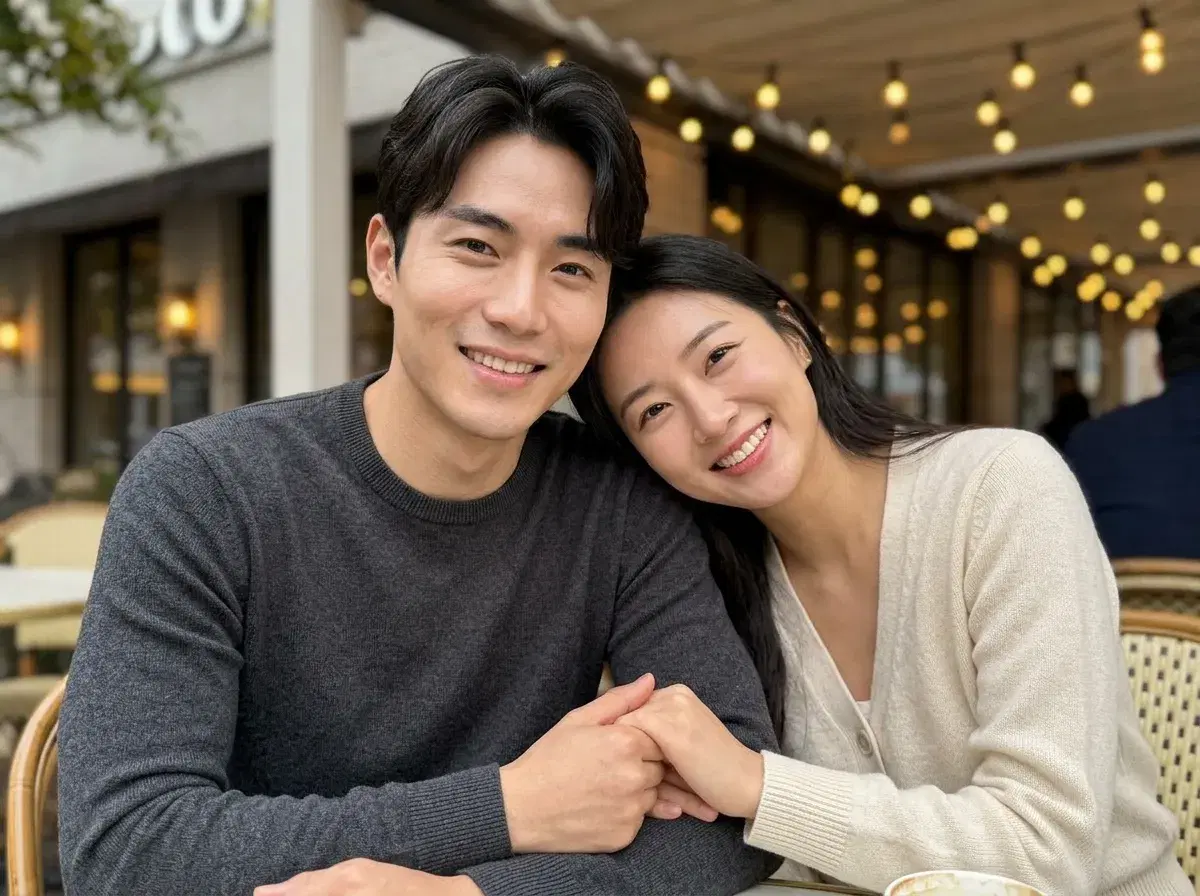
An AI couple photo generator creates a new portrait of two specific people from a single selfie of each — no joint photo required, and no photoshoot. Pose AI is one of the few apps that does this, generating with identity-locked native models (Nano Banana 2, Flux Kontext, GPT-image 2) so both faces come through as themselves rather than as approximations of themselves.
Couples use them for anniversary gifts, save-the-dates, social posts, and the long-distance case where there simply is no recent picture of the two of you together. Here is how the generation actually works, what it is good at, and where it stops.
Go straight to the Pose AI couple photo generator.
- An AI couple photo generator produces a new image of two people together from one reference photo of each — it generates a scene rather than merging two existing pictures.
- Upload one clear selfie per person. No joint photo, no batch upload, and no training step.
- Both faces are identity-locked, so each partner reads as themselves and the lighting matches across the frame.
- Styles span romantic, casual, vintage, wedding, and travel scenes — trying another costs a regeneration, not a reshoot.
- 400 credits every week, $4.99 the first week, then $14.99/week, with no watermarks.
What is an AI couple photo generator?
An AI couple photo generator is a tool that takes a reference face for each of two people and generates a new photorealistic image containing both of them in a chosen setting and style. The output is a frame that never existed — not an edit of a photo you already had.
That distinction is doing most of the work. A merge or composite lifts one person out of an existing picture and places them into another, which is why composites so often look like composites: the light on one face was captured in a different room, at a different time of day, from a different angle. A generated couple photo renders the whole frame in one pass, so there is only one light source and both faces sit under it.
The second half is identity. Generating two plausible people in a scene is easy; generating these two specific people, recognisably, is the hard part. Pose locks each face at generation time from a single photo, with no training run to wait through.
Why most AI apps can't generate couple photos
Generating realistic couple photos is technically much harder than single-person portraits. The model has to hold two distinct, identity-preserved faces in the same scene with believable body proportions, consistent lighting, and natural interaction — an arm around a shoulder, a lean-in, two people walking in step.
Most AI headshot generators are built around a single subject, so there is nowhere in the pipeline for a second person to go. Uploading two selfies to a general portrait tool does not produce a couple photo; it produces two separate portraits, or one portrait of a face that is neither of you. Pose is one of the few purpose-built apps with a dedicated couple generator that handles two-person identity preservation.
Couple photo styles worth trying first
Romantic golden hour is the default for a reason — low warm sun, close framing, and a soft background flatter almost everyone and read as genuinely candid. Casual settings (a café table, a rooftop, a walk) suit couples who want something that looks like a normal weekend rather than a shoot. Vintage looks lean on film grain and period wardrobe, which is forgiving and distinctive at once.
Wedding and formal scenes are the most popular for announcements, and travel backdrops solve the long-distance case neatly: a coastline, a city street, or a mountain overlook that neither of you has stood on together yet. You can also skip the presets and describe a setting in your own words, which is usually the fastest route to something specific to the two of you.
One practical note on all of them: pick the natural-looking output over the most polished one. Flawless skin and studio-even light on what is meant to be a candid moment is the single thing that makes generated photos read as generated.
How to generate AI couple photos
- 1Upload one clear selfie of each personPose only needs a single front-facing photo per partner. Both should be well lit with the face clearly visible — no sunglasses, no heavy filters, nothing cropping the jaw. Source quality matters more to the result than any setting you will touch afterwards.
- 2Pick a couple photo styleChoose romantic (golden hour, beach walk), casual (coffee shop, rooftop), vintage (retro interiors, film grain), wedding (ceremony, first dance), or travel — or describe the scene you want in your own words.
- 3Generate in secondsPose places both identity-locked faces into the scene with matching lighting, wardrobe, and natural body positioning, and returns results in seconds rather than minutes.
- 4Regenerate, then downloadA second look costs a regeneration rather than another session, so generate a few and choose. Downloads are full resolution with no watermark — ready to print, send, or post.
What couples actually use them for
Gifts and announcements are the most common: anniversary prints, save-the-dates, engagement and wedding announcements, and holiday cards. Social posts are close behind, particularly for couples who do not have a recent photo together that either of them likes.
Long distance is the use case the format was almost designed for. If you have not been in the same country for four months, there is no picture of the two of you from this year — and generating one is faster than waiting for the next flight. The other genuine use is look-testing: before booking an engagement shoot, generating the same couple across three or four settings is a cheap way to find out which one you actually want to pay for.
What they are not is a record. A generated wedding-style portrait is the two of you in a wedding aesthetic; it is not documentation of a day that happened, and it is worth being straightforward about that when you share one.
AI couple photos vs a traditional photoshoot
| Factor | AI couple photos (Pose) | Traditional couple photoshoot |
|---|---|---|
| Cost | $4.99 first week, then $14.99/wk with 400 credits | Typically $300–$1,500+ per session |
| Time | Seconds per generation, from home | Scheduling, travel, and a session of an hour or more |
| Variety | Change setting, wardrobe, and season by regenerating | One location and one outfit set per booking |
| Both of you present | Not required — one selfie each | Required, in the same place at the same time |
| Authenticity | A styled portrait, not a record of a moment | Real photographs of the two of you on a real day |
AI wins on cost, speed, variety, and the long-distance case outright. The photographer wins the last row, and it is not a small row — for an engagement or a wedding, the value of the photographs is partly that they happened. The sensible pattern is to use the generator for gifts, announcements, and look-testing, and book a photographer for the day itself.
Need individual portraits too? See the AI headshot generator.
You can also turn couple photos into AI videos with the native video engines.
See pricing and the weekly credit allowance.