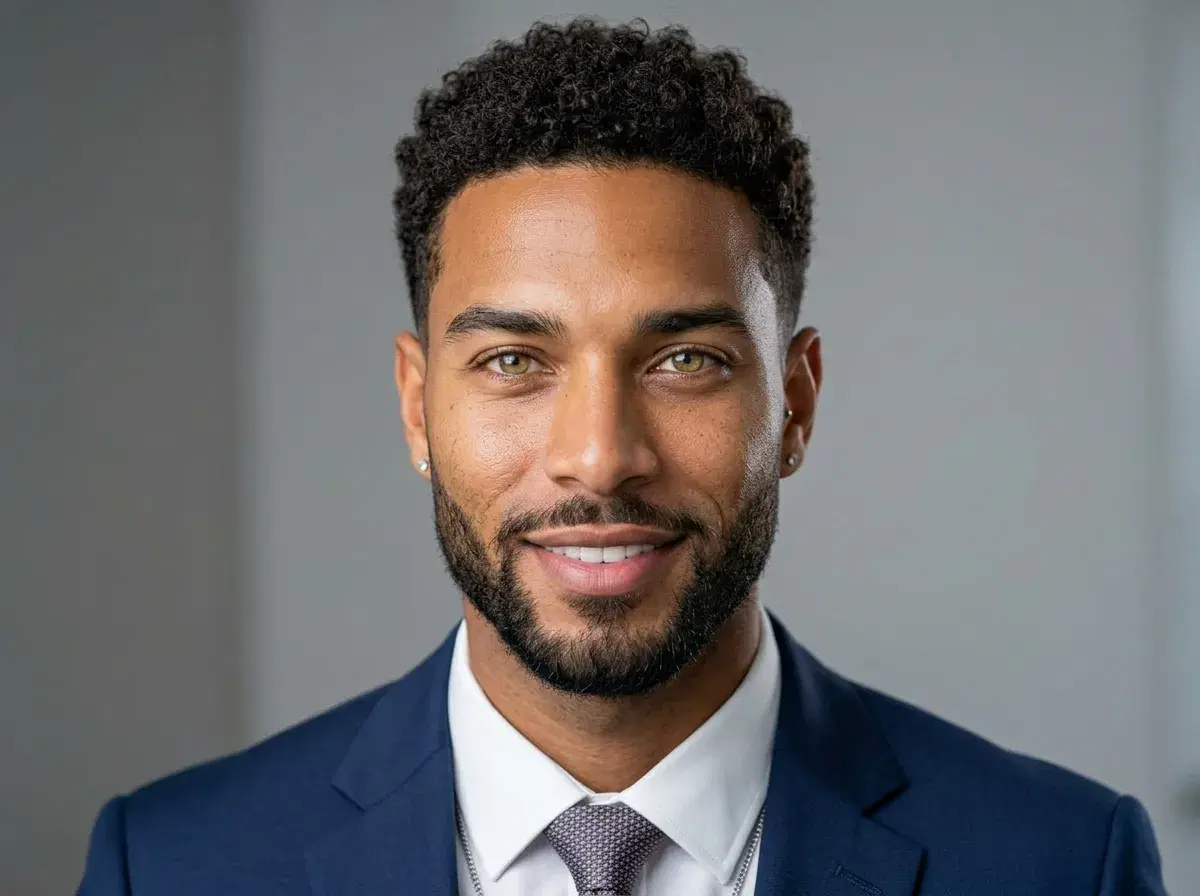
AI headshots for LinkedIn let you replace an outdated or casual profile photo with a studio-quality portrait in minutes — right when recruiters start scanning profiles ahead of the fall hiring push. August and September are peak months for LinkedIn updates, because hiring momentum rebuilds after summer and a fresh, professional photo gives you a visible edge over candidates still using a years-old snapshot. This guide covers the timing, the style choices that fit your industry, and the full upload-to-profile process you can finish in under 10 minutes.
Pose AI generates these headshots natively using Nano Banana 2 identity-locking, so your real features stay accurate across every style. One simple plan ($4.99 your first week, then $14.99/week with 400 credits) covers all photo and video styles on web and mobile, with no watermarks and no photographer to schedule.
Ready to start now? Open theprofessional AI headshot generatorand generate your first set of LinkedIn-ready portraits.
- AI headshot generators create professional LinkedIn photos in minutes by training on your casual selfies, delivering studio-quality results without booking a photographer during the busiest recruiting months.
- Timing advantage: refresh your profile before the August–September recruiting peak, when recruiters are most actively reviewing candidates.
- Speed: generate portraits in under 10 minutes instead of scheduling, shooting, and editing a photographer session over one to two weeks.
- Variety: one selfie upload produces multiple looks, backgrounds, and styles so you can A/B test what reads best on your profile.
- Professional standards: business attire and clean, neutral backgrounds match what recruiters expect on LinkedIn.
- Cost efficiency: $4.99 your first week, then $14.99/week with 400 credits covering all styles — far less than a $300–$800 studio shoot.
What is an AI headshot generator?
An AI headshot generator is software that turns casual selfies into professional portraits using machine learning, replacing a traditional photography session with automated style, lighting, and background generation. Unlike a stock photo, the result is genuinely you — Pose AI's Nano Banana 2 model is identity-locked, so it preserves your real facial features across every style rather than producing a generic or composite face.
That is also what separates a generated headshot from an outdated one: instead of cropping a five-year-old photo or a casual phone shot, you produce a current, business-ready portrait that reflects how you look today, in the styling a recruiter expects to see.
What is LinkedIn recruiting season?
LinkedIn recruiting season refers to the late-August through September window when hiring activity rebounds after the summer slowdown. Budgets reset for the second half of the year, managers return from vacation, and recruiters ramp up outreach to fill roles before the fourth quarter — which makes it the period when your profile gets the most views.
Because so much of that early evaluation happens at a glance, your profile photo carries real weight. A current, professional headshot signals that you are active and serious about your next move, and it is the simplest part of your profile to upgrade before the traffic arrives.
Why August Is Prime Time for LinkedIn Profile Updates
Hiring momentum peaks once summer ends. Teams that paused recruiting in July return with open roles and a deadline to fill them before the year closes, so the volume of recruiter searches and InMail outreach climbs sharply through August and September.
Recruiters scan profiles quickly, and the photo is the first thing they register. A fresh, professional headshot reads as someone who is engaged and approachable, while an outdated or low-quality photo can quietly cost you a second look. Updating before the surge means your best impression is already in place when the traffic arrives.
There is also a simple competitive angle: many strong candidates never refresh their photo. Showing up with a current, studio-quality headshot is an easy way to stand out in a search result full of casual snapshots and empty avatars.
How AI Headshots Work for Professional Profiles
The process starts with photos you already have. Upload 10–15 clear, well-lit selfies, and Pose AI uses Nano Banana 2 to learn your features and generate studio-quality headshots that still look like you. There is no shoot to book and no editing software to learn.
From a single upload you can generate multiple styles trained on your own face — different backgrounds, framing, and wardrobe tones — so you can pick the version that fits the role you are targeting. The outputs arrive at full resolution with no watermarks, ready to drop straight onto your profile.
Because everything runs natively inside Pose, your 400 weekly credits cover every regeneration. If your first set is not quite right, you can adjust the style and try again without paying per photo or exporting to another tool.
Choosing the Right Headshot Style for Your Industry
Match your headshot to the expectations of your field. Corporate roles in finance, law, and consulting reward a classic look: business attire, a neutral or softly blurred background, and even, professional lighting. Creative and tech roles allow more warmth and personality — a relaxed collar, a natural setting, or a hint of brand color can work in your favor.
Across every industry, the same fundamentals hold on LinkedIn: your face should be well-lit and clearly visible, the framing should be head-and-shoulders, and the background should not compete with you. Those are exactly the standards Pose AI's headshot styles are built around.
If you are unsure where to start, generate two or three different directions and compare them side by side before committing one to your profile.
Browse theLinkedIn headshot stylesto see corporate and creative directions side by side before you generate.
From Upload to Profile Update in Under 10 Minutes
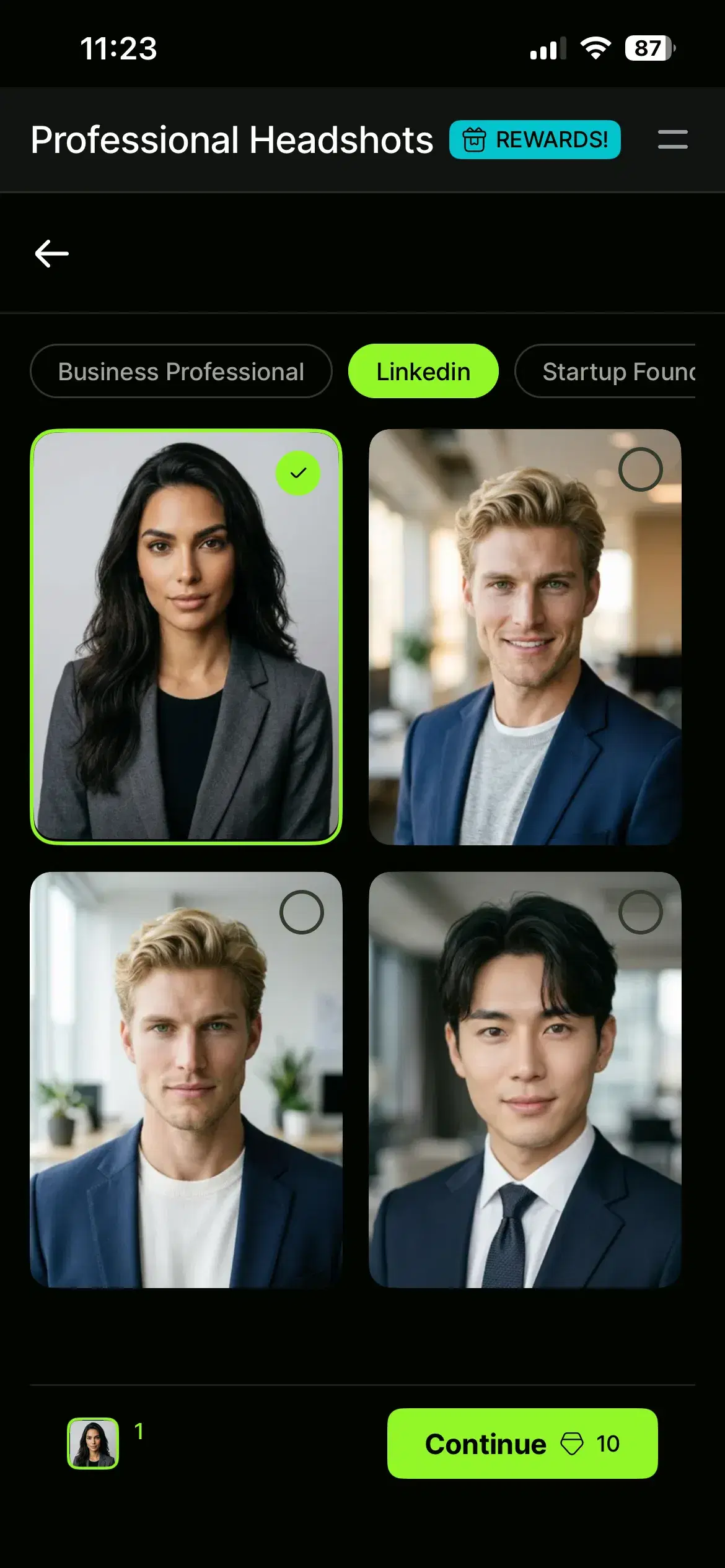
- 1Choose a LinkedIn-ready stylePick a professional or LinkedIn headshot style that matches your industry. You can generate several directions — corporate, approachable, creative — in the same session to compare later.
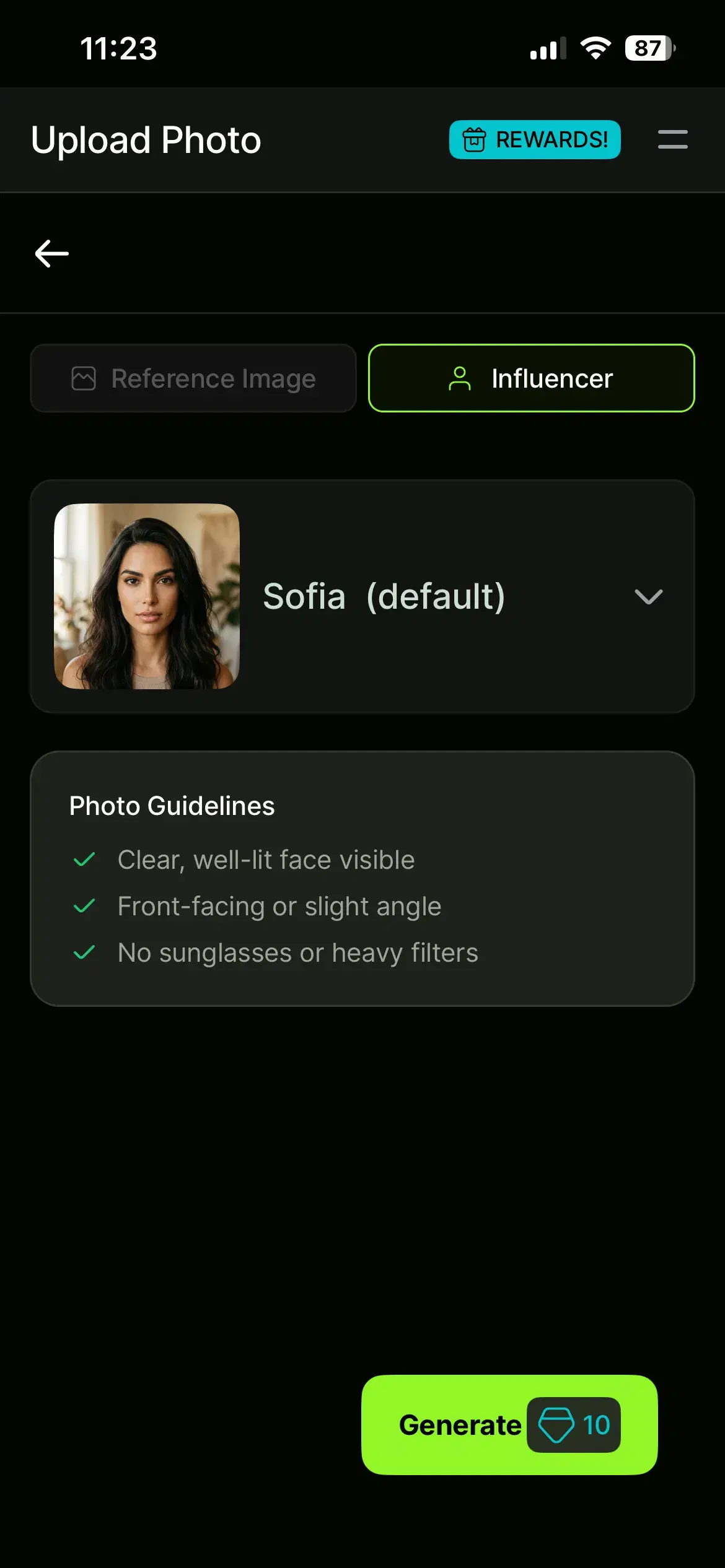
- 2Upload or Select selfies to Pose AIUse clear, front-facing photos with good lighting and varied expressions — no hats or sunglasses. The more variety in your source photos, the more consistent and natural your generated headshots will be.
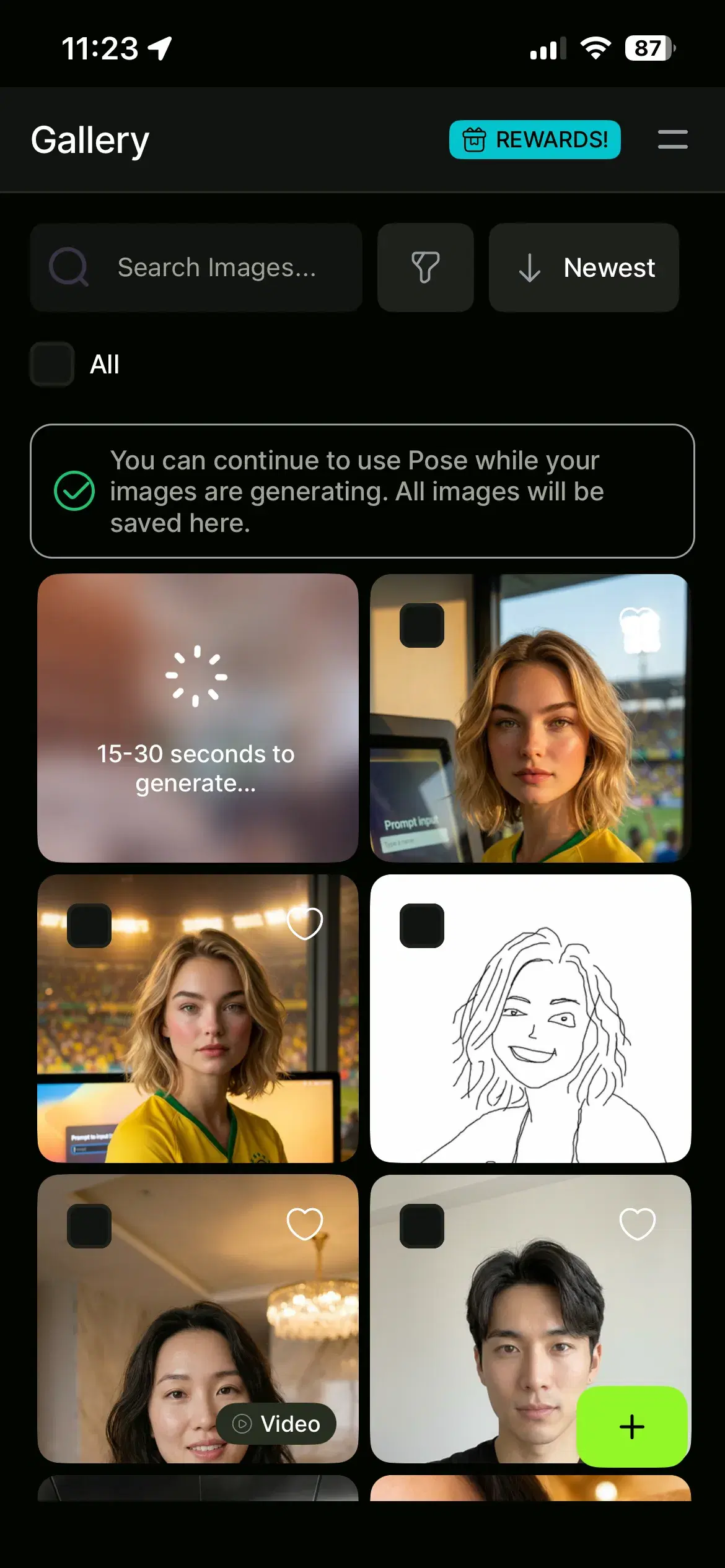
- 3Generate in 5-10 secsPose creates your identity-locked headshots with Nano Banana 2 and delivers full-resolution, watermark-free images. Generation takes under 10 seconds per style, so a full set is ready in minutes.
- 4Set and download your favorite as your LinkedIn photoOpen LinkedIn, edit your profile photo, and upload the headshot you picked. Crop to a head-and-shoulders frame and save — your refreshed profile is live before recruiting season ramps up.
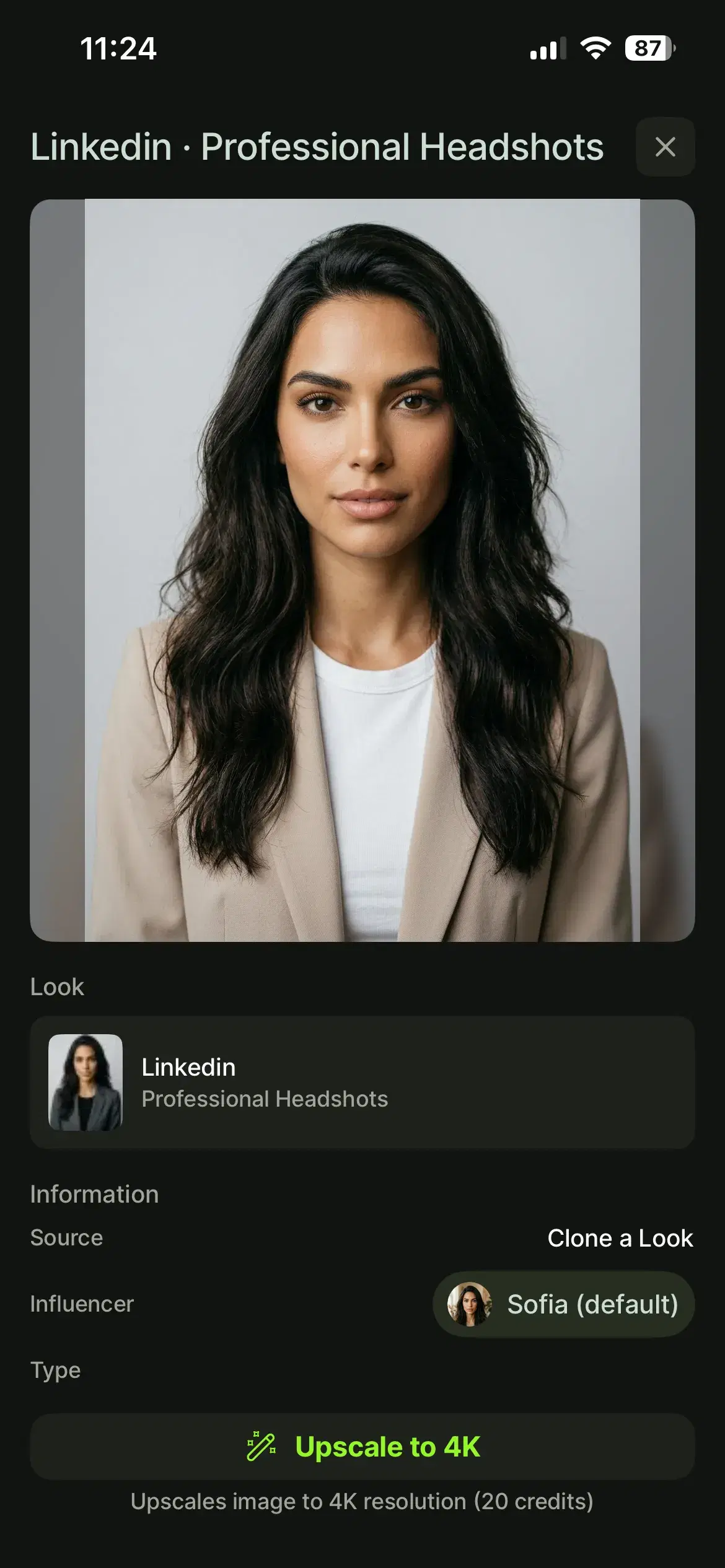
For more polished business looks beyond LinkedIn, explore Pose AI'sprofessional headshot styles.