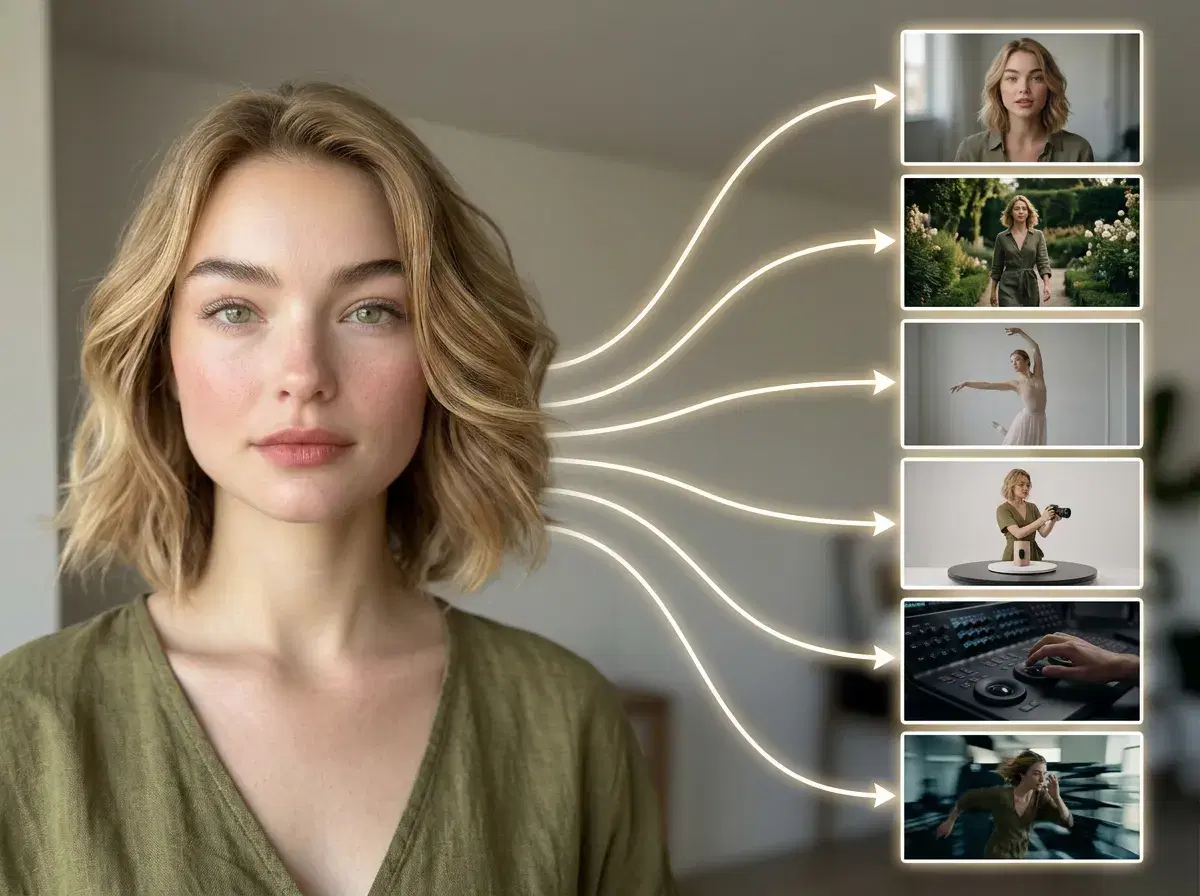
Turn any photo into AI video using Pose AI's native Kling, SeedDance, Wan, Veo, Sora 2, and HeyGen engines — no external tools. This guide covers how an AI video generator from image works, which of Pose's six engines to pick, and how it compares for identity-locked, UGC, and product video.
Convert an image to video in the Pose AI Video Studio.
- The best AI video generator from image in 2026 is Pose AI — it converts a still photo into video natively with Kling, SeedDance, Wan, Veo, Sora 2, and HeyGen, all in one studio.
- Native engines: six models run inside Pose — no exporting to a separate tool or stitching subscriptions together.
- Identity-locked: your face or product stays consistent from the still image to the finished clip.
- Use cases: talking-head UGC, product demos, dance/motion clips, and cinematic scenes — all from one photo.
- One plan: 400 credits every week cover every engine, from $4.99 the first week, no watermarks.
What is an AI video generator from image?
An AI video generator from image takes a static photo as its starting point and generates motion from it — animating a face to speak, adding camera movement, or turning a portrait or product shot into a short clip. It's also called image-to-video or photo-to-video.
The quality signal that matters most is identity: does the subject in the video still look like the subject in the photo? Pose AI is built around identity-locked generation, so your likeness or product stays consistent from the still to the clip.
Top 6 AI Engines to Convert Images to Video
| Engine | Speed | Style | Best for |
|---|---|---|---|
| HeyGen | Fast | Avatar talking head | UGC, spokesperson, and testimonial video |
| Kling | Medium | Cinematic, camera-controlled motion | Polished scenes and product motion |
| SeedDance | Fast | Motion transfer, dance | Animating a still into a dance or motion clip |
| Veo | Medium | Photorealistic scenes | Realistic, lifelike image-to-video |
| Sora 2 | Medium | Longer cinematic sequences | Extended narrative clips |
| Wan | Fast | Flexible general motion | Quick image-to-video iteration |
Because all six run inside Pose, you can convert the same image with different engines and pick the best result — no separate accounts, no per-engine subscriptions.
How to make a video from one picture
Upload one clear photo — a selfie or a product shot. Pick an engine for the look you want, direct the motion (a talking-head performance, a camera push-in, or animated movement), and generate. Short clips render in seconds to a couple of minutes, and every generation draws from your 400 weekly credits.
Because Pose is identity-locked from a single photo with no lengthy training step, you don't need to upload a batch of images or wait for a model to train.
For creator and ad content, see Pose AI UGC video.