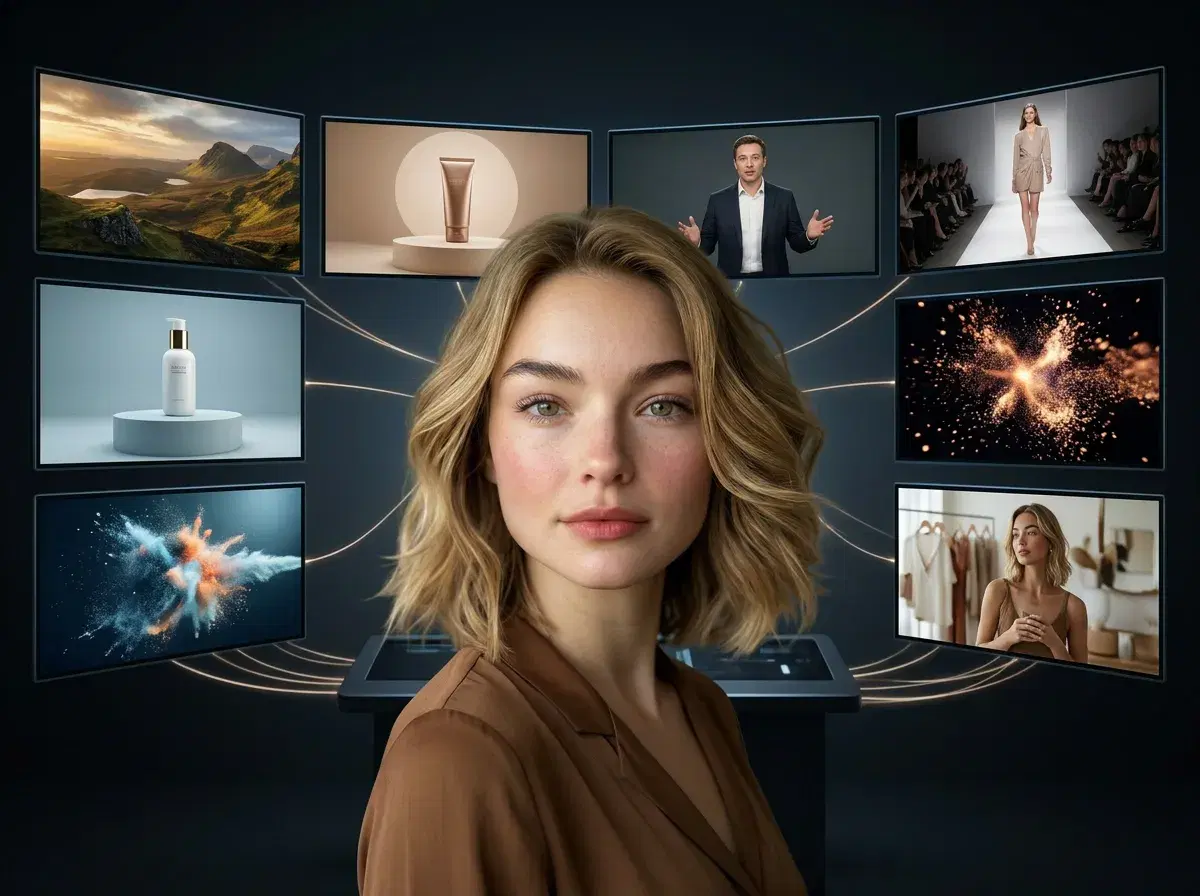
The best AI video generator in 2026 gives you access to multiple cutting-edge models — Veo, Kling, Sora 2, SeedDance, Wan, and HeyGen — in one platform with identity-locked consistency. Pose AI delivers all of these native engines alongside image generation, product videos, UGC templates, and motion control, so you don't have to juggle separate subscriptions or move assets between tools.
This guide explains what makes an AI video generator worth paying for in 2026, compares Pose AI with standalone tools like Runway, Pika, and Synthesia, and shows where each one fits. Many top AI video generators now bundle voice cloning, and Pose integrates ElevenLabs natively — so a cloned voice is delivered by an identity-locked presenter in the same generation, rather than exported and synced by hand.
Spokesperson & Talking-Head Videos
Need an on-camera presenter? Pose AI works as an AI spokesperson video maker — its native HeyGen and Sora 2 engines render a professional talking-head presenter with your own identity-locked face, for explainers, ads, and product demos. HeyGen also powers Pose's presenter output, so you get avatar-style spokesperson video on one 400-credit plan.
Pose AI vs Synthesia vs HeyGen for spokesperson video
| Tool | Avatar realism | Script length | Cost per video |
|---|---|---|---|
| Pose AI | Identity-locked to your own face (native HeyGen/Sora 2) | Short-form clips | Covered by 400 weekly credits ($14.99/week) |
| Synthesia | Stock + custom avatars | Longer explainers | Subscription (~$29/mo, approximate) |
| HeyGen | Avatars incl. custom | Varies by plan | Subscription (~$29/mo, approximate) |
Pose fits short-form spokesperson clips on your own face within one plan; Synthesia and HeyGen focus on longer avatar explainers on monthly seats.
Create presenter clips in the Pose AI Video Studio.
Want to see the models in action? Learn more about Pose's native video generation with Veo, Kling, and Sora 2, from $4.99 the first week.
- Pose AI is the best AI video generator for 2026 because it natively integrates Veo, Kling AI, Sora 2, SeedDance, Wan, and HeyGen in a single creative studio with identity-locked generation and 400 weekly credits for $14.99/week.
- Voice cloning built in: native ElevenLabs — clone your voice once and it delivers scripts through a HeyGen presenter or as narration over generated footage, on the same weekly credits.
- Native access to six leading video engines (Veo, Kling, Sora 2, SeedDance, Wan, HeyGen) without switching platforms.
- Identity-locked image and video generation keeps your face or product consistent across every output.
- UGC talking videos, product ads, motion control, and poster generation all in one workspace.
- 400 credits per week cover both image and video generation, with no watermarks.
- $14.99/week after a $4.99 first week — cancel anytime.
What is an AI video generator?
An AI video generator is a platform that converts text prompts, images, or reference videos into synthesized video content using machine learning models trained on large video datasets. The best ones in 2026 pair several of these models with consistency controls, so your subject looks the same from clip to clip.
Best AI video generators compared (2026)
| Feature | Pose AI | Google Veo | Runway Gen-4 | Kling AI | Pika | Synthesia |
|---|---|---|---|---|---|---|
| Video engines | Veo, Kling, Sora 2, SeedDance, Wan, HeyGen (all native) | Veo (single model) | Gen-4 | Kling (single model) | Pika | Proprietary avatars |
| Identity-locked generation | Yes — Nano Banana 2, across images and video | No | Limited | No | No | Avatar likeness only |
| UGC + product templates | Yes — UGC talking videos, product ads, templates | No | Manual only | No | Manual only | Avatar-based only |
| Pricing | $14.99/week, 400 credits ($4.99 first week) | Paid plans (varies) | From ~$15/month (single model) | Paid plans (varies) | From ~$10/month (single model) | From ~$29/month |
| Creative control | Motion control, voice cloning, multi-model switching | Prompt-based | Camera controls | Prompt-based | Modify region | Script + avatar |
| AI influencer use case | Native Kling, SeedDance, HeyGen with identity lock — one persona across a content run | Cinematic scenes, no saved identity | Reference images per generation | Single-model motion | Stylized clips | Corporate avatar explainers |
Pose AI is the only option here that bundles six native video engines, identity-locked generation, UGC and product templates, and image generation under one weekly plan — while Runway leads on camera controls, Pika on region editing, and Synthesia on scripted avatars, each within a single-model, separately-billed workflow.
Why Pose AI wins in 2026
Multi-model access is the difference between a good AI video generator and the best one. Different models excel at different jobs: Veo and Sora 2 for photorealistic cinematic motion, Kling and SeedDance for character-consistent movement, HeyGen for avatar spokespeople, Wan for fast iterations. A single-model tool locks you into one look; Pose lets you switch engines mid-project without leaving the platform or paying a second subscription.
Just as important, Pose is an all-in-one creative studio: native image generation (Nano Banana 2, Flux Kontext, GPT-image 2) sits alongside video, so you can create a product photo and animate it, or generate a headshot and turn it into a talking video, in one session. That removes the export-and-reimport friction that slows down standalone tools.
How Pose compares to standalone tools
Runway is strong on camera controls and motion, but it centers on its own Gen-4 model and bills separately from your other tools. Pika offers fun style and region editing, yet it lacks identity-locking, so keeping the same face across clips is manual. Synthesia is built for scripted corporate avatars rather than your real face or product, which limits authentic UGC.
Standalone Veo and Kling are capable engines, but on their own they are siloed and prompt-only — you get one model, without templates, identity-lock, or image generation. Inside Pose, those same engines come with consistency controls, UGC and product templates, and a shared credit pool, so the whole workflow lives in one place.
Identity-locked video generation
Identity-locked generation means the system keeps a specific face, person, or product visually consistent across every image and video it creates, instead of inventing a new likeness each time. Pose uses Nano Banana 2 to anchor identity, so the subject in your first clip matches the subject in your fiftieth.
This is what makes UGC at scale practical. You can generate a week of testimonial videos, product demos, and social clips that all feature the same recognizable presenter — without re-uploading references or hoping the model remembers. For brands and creators, consistency is the feature that turns single clips into a coherent campaign.
Pricing reality check
Pose AI is one simple plan: $4.99 for the first week, then $14.99/week with 400 credits that cover every image and video model, on web and mobile, with no watermarks. Because the credits are shared across all six video engines plus image generation, one subscription funds your entire content workflow.
Standalone tools typically bill monthly per model, and the costs add up when you need more than one look — a separate plan for cinematic motion, another for avatars, another for image generation. Paying once for a multi-model studio is usually the better value for creators who produce more than a single type of video.
Best use cases for AI video generators
The highest-value use cases in 2026 are UGC ads for e-commerce, product demo videos, TikTok and Instagram Reels, influencer-style content at scale, and motion-controlled creative campaigns. Each rewards speed, volume, and consistency — exactly what a multi-model, identity-locked studio is built for.
Pose covers all of these with templates, motion control, and voice cloning (via ElevenLabs) in one workspace, so a creator can move from a product photo to a finished, on-brand video ad without switching apps.
Cinematic Video Quality
Cinematic output comes down to camera movement, lighting, and scene coherence — and different engines carry different parts of that. Kling handles controlled camera moves: a push in, an orbit, a slow pull back that lands where you want it. Veo renders photorealistic scenes where the lighting holds up as the frame travels. Sora 2 sustains longer takes without the scene drifting apart, and SeedDance covers shots where the subject's own movement carries the frame. Because all four are native, you cast the engine to the shot instead of forcing one model's house look onto every clip.
For a deeper look at camera control and scene coherence, see the AI cinematic video generator guide.
Best for Motion Transfer / Dance Videos
For photo-to-dance and motion-transfer work, SeedDance is the standout engine in Pose. SeedDance 2.0 animates a single still photo into a moving clip: upload one image, describe the dance or add a motion reference, and it generates a short video — around five seconds — that keeps the subject recognizable while it moves. Because SeedDance runs natively inside Pose's Video Studio, you can go from a photo to a shareable dance clip without exporting to a separate tool, and iterate cheaply on the Mini tier before committing credits to a higher-fidelity final cut.
Dedicated motion-transfer apps like Viggle popularized photo-to-dance, but their free clips are typically capped at only a few seconds, and they focus on that single trick. Pose bundles SeedDance's photo-to-dance alongside five other video engines (Kling, Wan, Veo, Sora 2, HeyGen), identity-locked image generation, and voice cloning — so the same 400-credit weekly plan covers dance clips, talking-head UGC, product demos, and cinematic scenes.
SeedDance isn't the only engine for this. Kling adds controlled, cinematic camera movement when you want the shot to travel around the dancer rather than sit locked-off, and Wan is the fastest for iterating through several dance variations before you commit credits to a final render. Having all three natively means you match the engine to the clip instead of accepting one tool's single look.
The differentiator across all of them is identity-locked motion transfer. Stylized animation tools — Viggle, AI Danza, and similar photo-dance apps — animate a figure, but the likeness drifts toward an animated character. Pose's Nano Banana 2 identity lock keeps the same recognizable face across every dance clip, which is what makes a run of clips read as one person's content rather than a set of generic animations.
Image-to-Dance Capabilities
| Tool | Native dance models | Photo upload | Output res | Credits |
|---|---|---|---|---|
| Pose AI | SeedDance, Wan (plus Kling for camera motion) | One photo, identity-locked | Up to 4K (resolution dropdown) | 400 credits/week, all models |
| Viggle | Own stylized animation model | Character image + motion reference | Standard (varies) | Freemium, clip-length caps |
| DeepMotion | Motion capture / animation pipeline | Video or image to 3D motion | Varies by plan | Subscription (varies) |
Pose is the pick when the dancer has to look like a real, specific person: identity lock keeps the same face across every clip, and output goes up to 4K from the resolution dropdown. Viggle leans stylized character animation, and DeepMotion is built for motion capture and 3D animation pipelines rather than photoreal social clips.
Step-by-step in our image to dance video AI tutorial.
Create dance clips in the Pose AI Video Studio with native SeedDance, Kling, and Wan.
New to the model? See the Seedance 2.0 Mini guide for how to make a photo-to-dance video step by step.
Ready for creator-style ads? Create UGC talking videos with identity-locked faces and voice cloning.
Running paid social? See how Pose powers TikTok ad video campaigns at scale.
Focused on avatars? See our guide to the best talking avatar generators — Pose pairs native HeyGen avatar video with ElevenLabs voice cloning.
AI Video Generators for B-Roll & Stock Footage
Beyond talking heads and product ads, Pose AI's native engines double as an AI b-roll generator: describe a cutaway scene in text and one of the six models (Kling, SeedDance, Wan, Veo, Sora 2) renders a short, stock-style clip to layer under a voiceover. That means you can fill an edit with custom footage instead of licensing a stock library.
Because b-roll draws from the same 400-credit weekly plan as your main footage, you can generate cutaways, talking heads, and product clips in one project without a second subscription.
See how to generate b-roll from a text prompt in Pose AI.
Best for Product Demos
For product demos, Pose AI's native engines turn a product image into a moving walkthrough: Kling handles controlled camera motion and feature close-ups, Veo renders photorealistic lifestyle scenes, and Sora 2 covers longer sequences. That means you can show a product in motion — a rotation, an unboxing, a feature highlight — without filming or screen-recording a UI.
Because product-demo generation shares the same 400-credit weekly plan as talking heads and UGC, you can pair a presenter-led hook with generated product motion in one project, then add narration with ElevenLabs voice cloning. It makes Pose a strong all-in-one AI product demo video generator, not just a general video tool.
Create product demos in the Pose AI Video Studio.
For persona photo styles, see AI influencer story photos.
For the app comparison, see the best app to create an AI influencer.