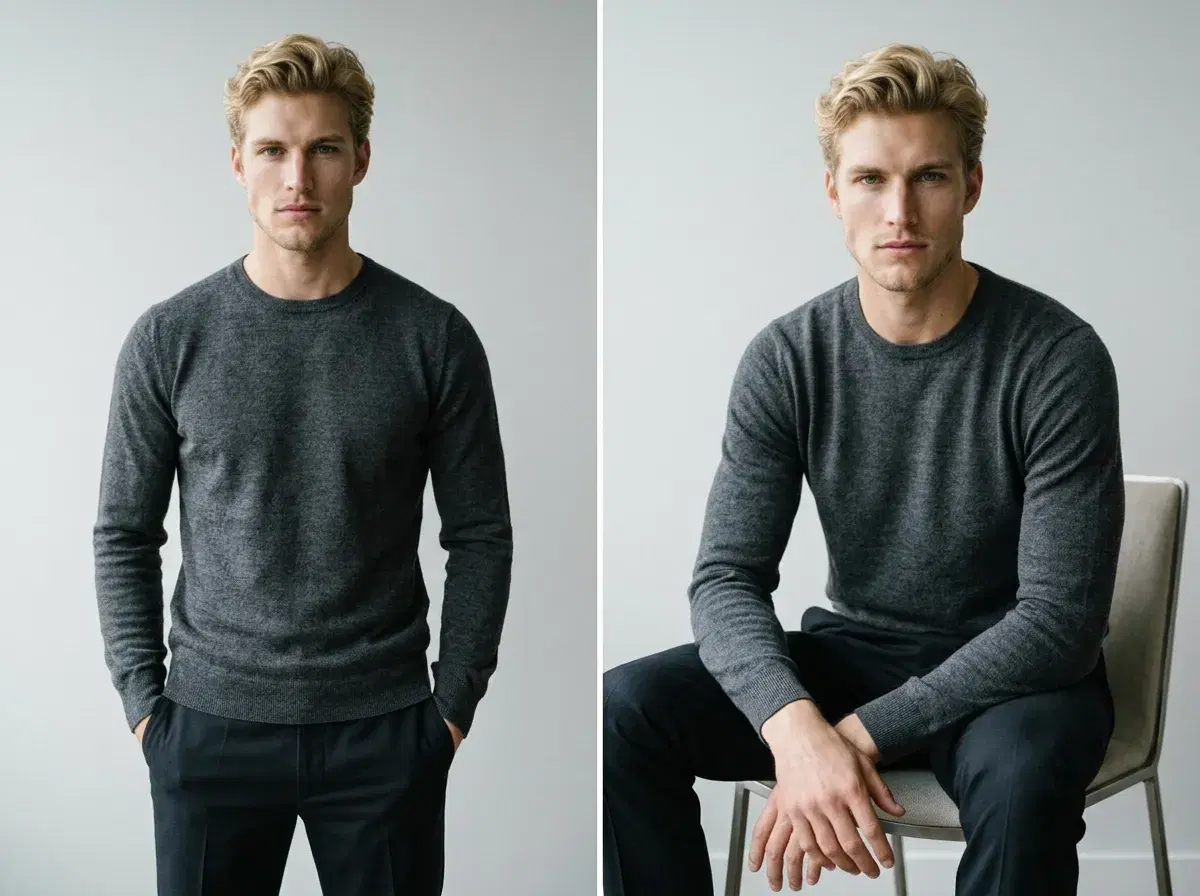
Yes, with a caveat that matters: AI changes body pose by generating a brand-new photo in the pose you describe, not by editing the pose within a photo you already have. That distinction decides which tool actually does the job.
- Yes — describe the pose (seated, mid-stride, arms crossed, a specific angle) and Pose generates a new identity-locked photo in that pose from your uploaded selfie.
- No — Pose can't take a specific existing photo and adjust the pose within it while keeping everything else identical; that's a different technique (pose editing on an existing image) that Pose doesn't offer.
- For video, Motion Control directs pose and movement as the clip is generated, using the same generation-not-editing approach.
Pose editing vs pose generation
Pose editing modifies the pose within a photo that already exists — the background, lighting, and everything else stays fixed while just the body position changes. Pose generation creates an entirely new image from a description, including the pose, the background, and the lighting together. Pose (the product) does the second — it's a generator, not an editor of existing photos.
How Pose handles pose in Image Studio
Describe the position you want directly in the prompt — "seated, leaning forward, hands clasped" or "mid-stride, looking over the shoulder" — and Nano Banana 2 generates a new photo from your selfie in that pose. There's no separate pose-adjustment tool; the description does the work.
How Pose handles pose in Video Studio
Motion Control directs camera movement (Kling) and subject motion (SeedDance) as a video generates, including transferring motion from a reference clip. Same principle as Image Studio — you describe the movement, Pose generates it, rather than editing a clip you already have.
See AI headshots for pose generation in a still photo.