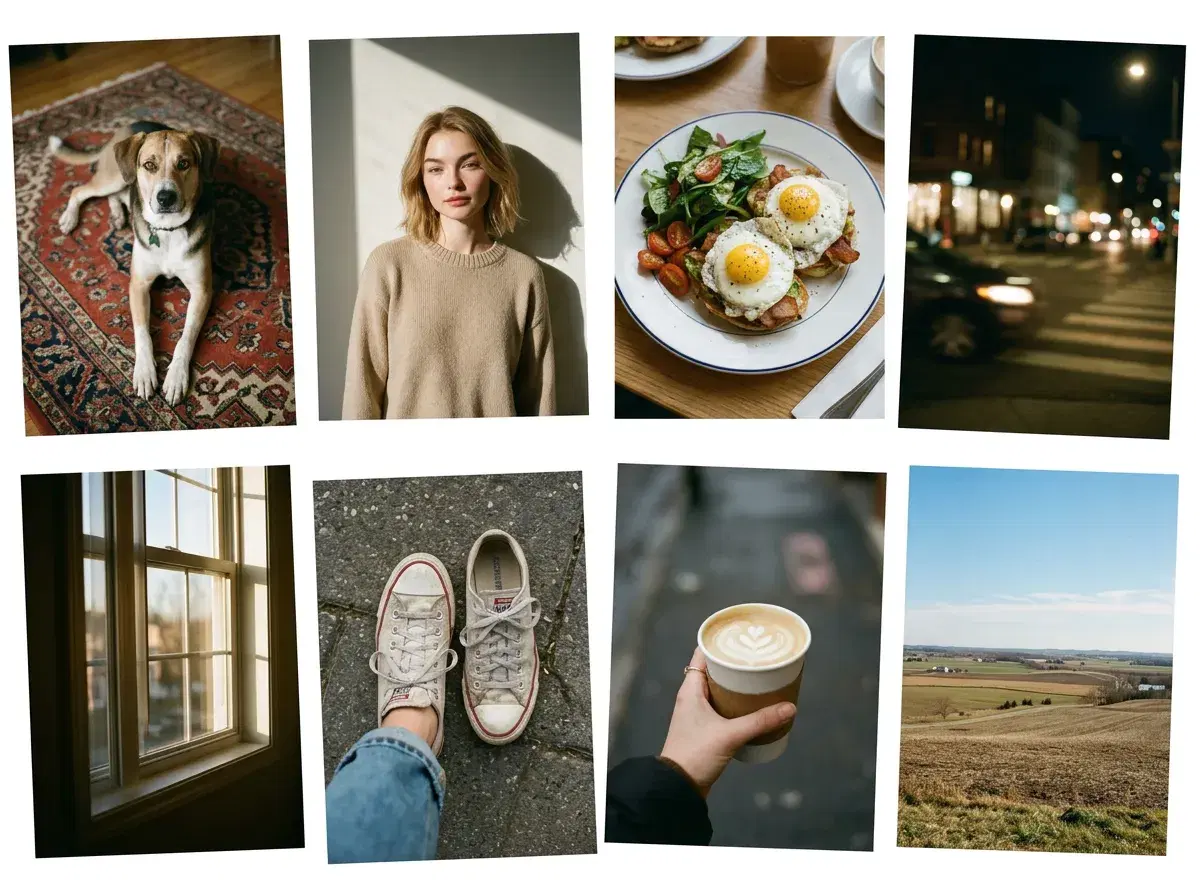
A photodump is a casual Instagram or TikTok carousel — five to ten loosely related shots posted together, deliberately unpolished, with no single hero image. The appeal is that it looks like a week of your life rather than a campaign.
AI fits into that in a specific and limited way, and being honest about which slots it fills is what separates a carousel that works from one that reads as staged.
Start with the AI aesthetic photo dump styles in Pose.
- An autumn dump is a casual Instagram carousel of fall photos; create yours with Pose AI's autumn styles in seconds.
- A photodump is a casual carousel of five to ten candid, loosely connected shots — the opposite of a curated single post.
- AI fills the styled slots well: the outfit shot, the scenic frame, the portrait you wish you had taken. Pose's Photo Pack styles and Image Studio generate them identity-locked from one selfie.
- AI does not fill the genuinely candid slots — the blurry one, the food, the friend mid-sentence. Those come from your camera roll, and a dump without them reads as an ad.
- The workable mix is a few generated frames among real ones, not a carousel generated end to end.
- 400 credits every week, $4.99 the first week, then $14.99/week, no watermarks.
What is a photodump?
A photodump is a multi-image post — usually five to ten photos — shared as a batch rather than curated into a single statement image. The convention is looseness: mismatched lighting, imperfect framing, a mix of people, places, food, and nothing in particular. It became the dominant casual format on Instagram because a highly produced feed started reading as effort, and effort reads as advertising.
The format's whole value is that it appears unconsidered. That is worth holding onto, because it sets a real constraint on how much of a dump can be generated before the thing stops working.
What Is an Autumn Dump?
An autumn dump is a photodump with a fall theme: five to ten loosely related shots of leaves, knitwear, coffee, golden light and cosy details, posted as one carousel. It carries the same rule as any photodump, which is that it should look like a stretch of real life rather than a campaign.
AI can fill the styled frames, such as a golden-hour portrait in an orchard or a cosy-sweater shot, while the candid details still come from your own camera roll. Pose's autumn styles generate those frames from one selfie.
Generate fall frames with the AI autumn photo styles.
The slots AI fills well
Three kinds of frame in a dump are styled rather than candid, and those are the ones AI genuinely improves. The outfit shot — you, in a look, lit properly — is one people routinely fail to get because nobody was there to take it. The scenic frame, where you appear in a place rather than just photographing it, is another. And the portrait you wish existed: the same day, the same clothes, but actually in focus.
Pose generates all three identity-locked from a single selfie, so they read as the same person as everything else in the carousel. Because the Photo Pack styles are consistent, a set generated in one sitting shares a colour treatment, which quietly holds a mixed carousel together.
The slots AI shouldn't fill
The rest of a dump is documentary, and generating it defeats the point. The slightly blurry one, the plate of food, the friend caught mid-sentence, the screenshot, the dog — these are the frames that make the post read as a life rather than a shoot. They are also, conveniently, the easiest photos you already have.
A carousel generated end to end has a specific failure mode: every frame is well lit, well framed, and equally composed, which is exactly what a real week does not look like. The unevenness is the format. If you remove it, you have made a lookbook and labelled it a photodump.
You can also turn a generated frame into a short clip with Pose AI video generation for a Reel or Story.
Building one, practically
Start from your camera roll, not from the generator. Pull the real frames you already have and notice what is missing — usually a decent photo of yourself, and usually the one you most wanted. Generate two or three to fill those gaps, choose a style that sits near the colour of your existing shots, and interleave rather than front-loading them.
Then pick the natural-looking outputs over the impressive ones. In a dump specifically, the over-polished frame is the one that gives the whole post away, because it does not match the eight photos around it.
Browse the full Pose AI style library to match a look to your existing shots.