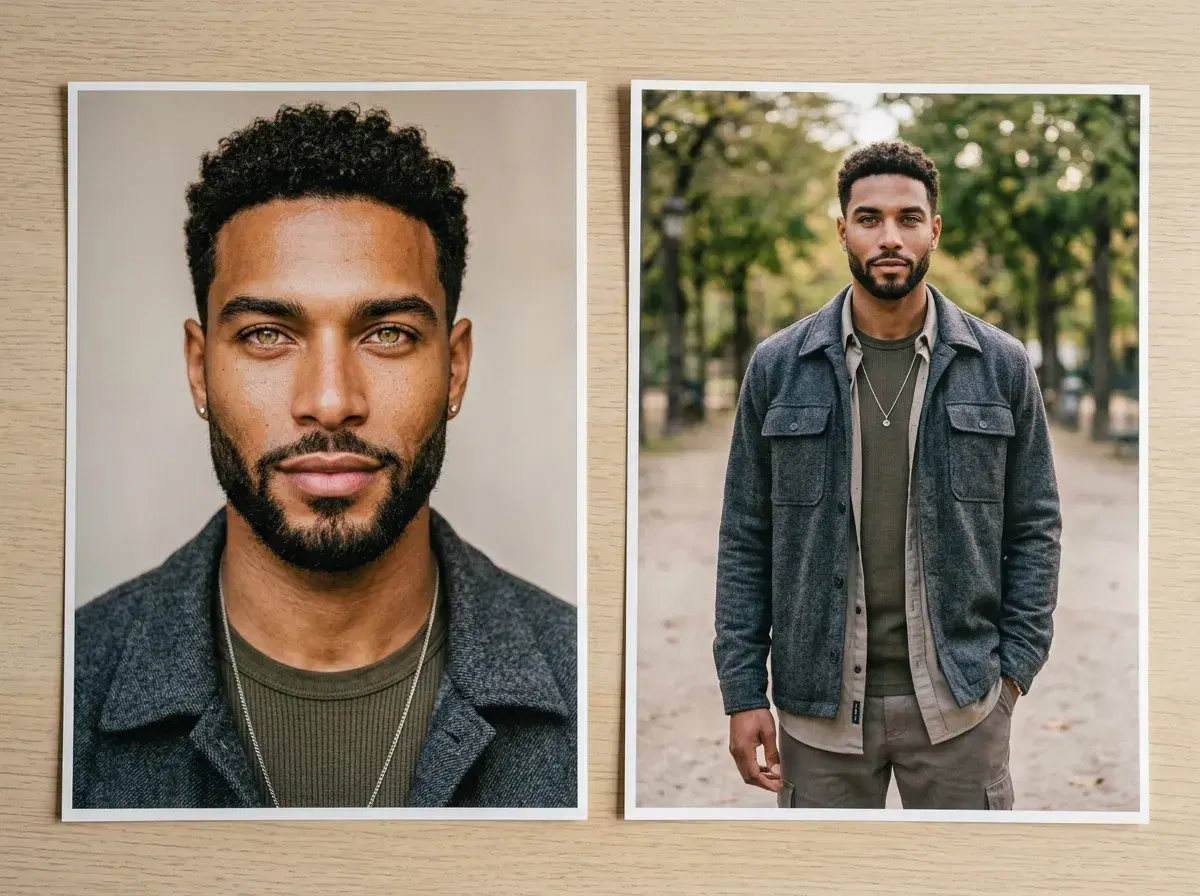
Pose AI generates portraits and full-body shots differently, because they're different problems — a portrait only has to get a face right, while a full-body shot has to get a face, a pose, an outfit, and a background right at once. This lays out which Pose surface is actually built for each, so you're not fighting the wrong tool for the framing you want.
Nothing here is about editing a photo you already have — Pose generates new, identity-locked images from one selfie, not retouches of an existing one.
- For close-up portraits and headshots, Headshots and Image Studio's headshot styles are the right surface — chest-up framing, controlled lighting, a plain or professional background.
- For full-body shots — lifestyle, fashion, UGC-style content — Image Studio's broader style packs and Clone a Look handle the pose and outfit; Video turns a full-body still into a moving clip.
- Both draw from the same Nano Banana 2 identity lock and the same 400 weekly credits — there's no separate tool or upload for each, just a different style pack or surface within one plan.
- You can move between the two in one session: generate a headshot, then a full-body look, from the same uploaded selfie.
Key terms
A portrait is a close-up, chest-up-or-tighter framing where the face is the whole point of the image — a headshot, a profile picture, a LinkedIn photo. A full-body shot shows the whole figure — standing, walking, posed against a backdrop — and is what most lifestyle, fashion, and UGC-style content actually needs.
"Editing" in the AI-photo sense usually means two different things people conflate: retouching a photo you already took (Pose doesn't do this), and generating a new photo of you in a chosen framing, outfit, and setting from a single uploaded selfie (this is what Pose does, for both portraits and full-body shots).
Which Pose surface for which shot type
| Shot type | Best Pose surface | What it's good for |
|---|---|---|
| Close-up portrait / headshot | Headshots, Image Studio (headshot styles) | LinkedIn, resumes, corporate bios, dating profile close-ups |
| Full-body lifestyle / fashion | Image Studio (lifestyle & fashion styles), Clone a Look | Instagram grids, outfit posts, brand-consistent creator content |
| Full-body in motion | Video (from a generated full-body still) | UGC clips, Reels, product or outfit demos |
| Mixed session (both in one sitting) | Headshots + Image Studio, same uploaded selfie | A professional headshot and a casual full-body look from one upload |
Start with a portrait on the AI headshots page.
Turn any generated shot into a clip in Pose AI's Video Studio.
Why the surfaces are split
A headshot lives or dies on the face — sharp, well-lit, recognizably you, with the background staying out of the way. That's why Headshots and the headshot styles in Image Studio are tuned toward that: plain or professional backdrops, controlled lighting presets, chest-up framing by default.
A full-body shot has to get more right at once: pose, outfit, proportions, and setting, on top of the face. Image Studio's broader lifestyle and fashion style packs are built for that wider frame, and Clone a Look lets you carry a specific look or outfit reference into the generation rather than describing it from scratch. If you want the full-body shot to move — a turn, a walk, a gesture — Video takes a generated still and animates it, using native engines like Kling and SeedDance.
For a use-case-by-use-case reference with example prompts, see portrait vs full-body AI photo editing.
Face realism: Pose vs competitors
| Realism | Identity lock | Native video | |
|---|---|---|---|
| Pose AI | Identity-locked to your selfie from the first render — no training step | Yes — Nano Banana 2, from one selfie | Yes — six native engines, same identity carries in |
| Aragon | Professional-standard portrait once training finishes | Trained from a batch of uploaded photos, not locked at generation time | No |
| PhotoAI | Professional-standard portrait once training finishes | Trained from a batch of uploaded photos, not locked at generation time | No |
| HeadshotPro | Professional-standard portrait once training finishes | Trained from a batch of uploaded photos, not locked at generation time | No |
No numeric realism score — a single figure would collapse identity accuracy, lighting, and skin texture into one invented number. For a standard business portrait, quality across all four has largely converged; the axis that still separates them is when identity gets locked (at generation for Pose, after a training run for the other three) and whether video is part of the same plan.