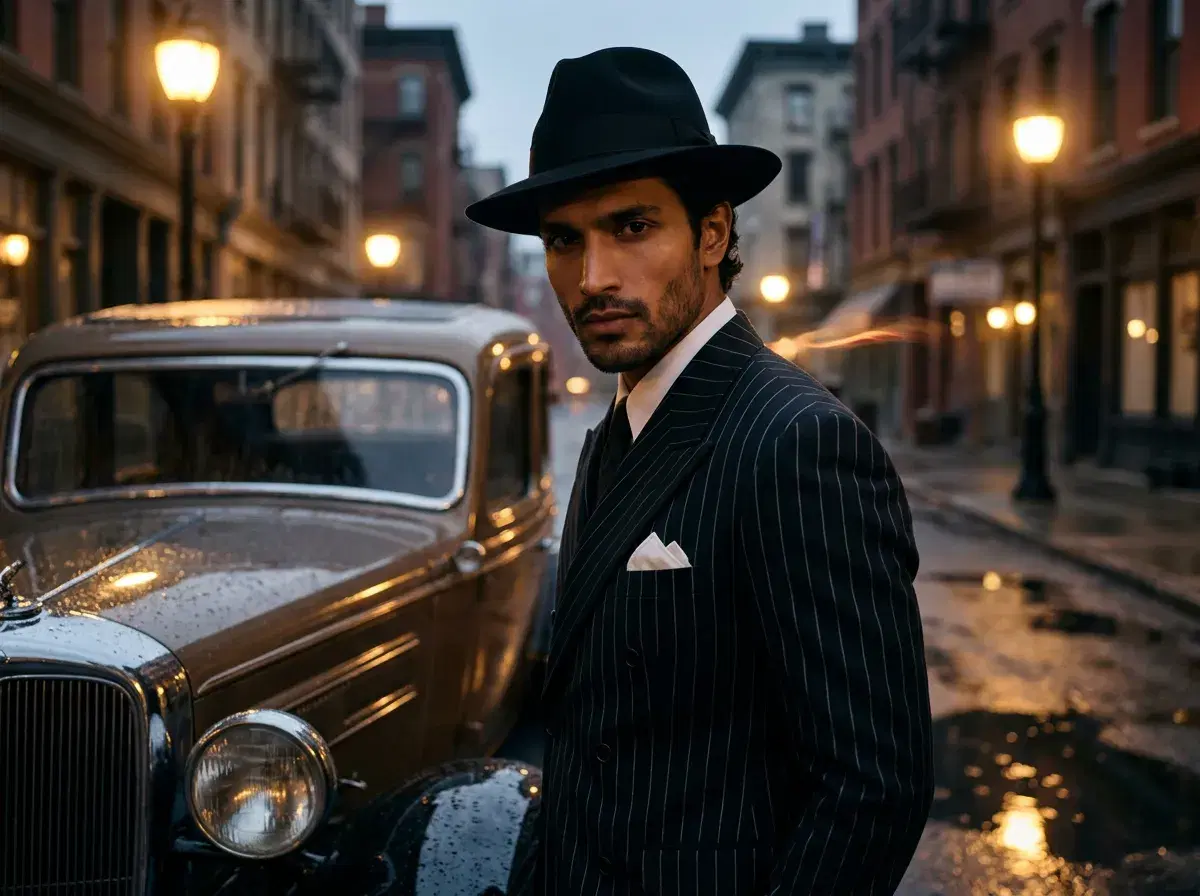
A mafia costume AI photo generator turns your selfie into authentic Italian-American organized-crime looks — fedora hats, pinstripe suits, vintage props, and 1920s–1950s gangster aesthetics. Pose AI generates these mafia-style photos natively using Nano Banana 2, Flux Kontext, and GPT-image 2, with no external tools required. Pose generates any costume style, from mafia to futuristic AI characters.
This guide covers how to generate a mafia costume photo, the difference between mafia and gangster styles, and the prompts and props that make the look period-accurate.
Want the full period wardrobe? Pose's 1920s photo style covers speakeasies, Art Deco interiors, and vintage tailoring from one selfie.
If you want a robot or cyborg look instead, explore AI-themed costume styles.
- Pose AI creates authentic mafia costume photos using identity-locked generation models (Nano Banana 2, Flux Kontext, GPT-image 2) with period-accurate props like fedoras, suspenders, and vintage cars.
- Mafia vs. gangster: mafia leans Italian-American organized-crime aesthetics (1920s–1950s), while gangster is a broader prohibition-era-and-beyond category.
- Key prompt elements: double-breasted pinstripe suit, wide lapels, pocket watch, fedora, cigar.
- Identity-locked from one selfie — your face stays consistent across every look.
- 400 credits every week cover all image models ($4.99 first week, then $14.99/week), with no watermarks.
- Privacy: Pose does not train on your selfie; delete it any time.
Mafia vs. Gangster AI Photo Styles
Mafia AI photos focus on Italian-American organized-crime iconography from the 1920s through the 1950s: pinstripe suits, fedora hats, suspenders, pocket squares, and vintage automobiles like the 1930s Cadillac V16. The emphasis is on sharp tailoring and understated, boardroom-of-crime elegance.
Gangster AI photos encompass a broader range of prohibition-era and mid-century criminal aesthetics, including speakeasy settings and both Italian and Irish-American costume elements. Pose covers both variants using the same native generation models — the two looks simply differ in wardrobe and setting.
For noir, mob boss, and vintage crime-scene prompts, read our full gangster AI photo generator guide — it pairs well with the mafia costume look.
How to generate a mafia costume photo with Pose
Upload one selfie, then choose a mafia-themed style or paste a prompt describing the wardrobe and setting. Nano Banana 2 reads your face from that single selfie and renders the look in under 10 seconds, drawing from your 400 weekly credits — download watermark-free and regenerate to refine the suit, props, or background.
A strong prompt names the outfit, the props, and the era: "dressed in a double-breasted pinstripe suit with wide lapels, white pocket square, black fedora, holding a cigar, 1940s New York street background." Period props like suspenders, pocket watches, and vintage cars all render cleanly.
Read the privacy policy.
Related Costume Gallery
1. Mafia boss
Pinstripes and a moody interior: see the gangster style
2. Gangster
See the gangster photo style
3. Noir detective
See the film noir portraits style
4. 1920s flapper
See the 1920s photo style
5. Black-and-white noir
See the noir photo style
6. Victorian gentleman
See the Victorian portraits style
7. 1950s retro star
See the 1950s retro style
8. Cyberpunk
See the cyberpunk photo style
9. Anime cosplay
See the anime cosplay style
10. Halloween costume
See the Halloween costume photos style
Gangster look: AI gangster photos.
1920s look: AI 1920s photos.
Noir look: AI film noir portraits.
Browse the AI costume gallery.