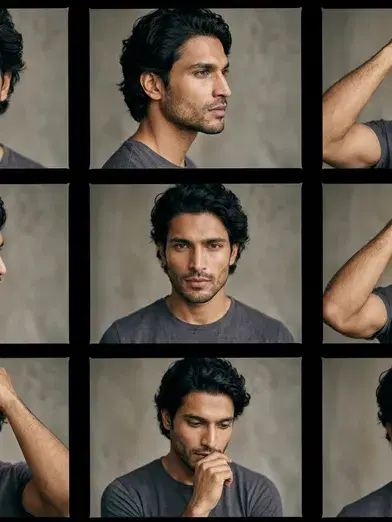
"AI pose camera" isn't one specific, verifiable product — it's used informally to describe an app or feature that generates a new photo or video of a person in a specified pose, as opposed to a traditional camera that only captures the pose you physically hold in front of it.
- An AI pose camera generates a new image or video of a person in a pose you describe or select, rather than capturing whatever pose you're physically holding.
- Common use cases: professional headshots in multiple poses without a photoshoot, dating and social profile photos, and video content with directed camera or body movement.
- Pose AI covers this with Image Studio (still photos via Nano Banana 2) and Motion Control (pose and camera movement in video, via Kling, SeedDance, Wan, Veo, Sora 2, and HeyGen).
- 400 credits every week, $4.99 the first week, then $14.99/week.
What does an AI pose camera actually do?
The term describes generation, not capture. A regular camera photographs whatever pose you're actually holding at the moment of the shot. An AI pose camera — really, an AI pose generator — reads your identity from a reference photo and produces a new image or video clip in a described pose, without you needing to physically hold it or set up a shoot for each look.
Use cases for AI pose generation
Headshots and profile photos: generate several poses and framings — seated, standing, three-quarter turn — from one selfie, without booking a separate session for each.
Dating and social profiles: create a varied set of natural-looking poses for apps like Hinge, Bumble, and Tinder, all identity-locked to your actual face.
Video content: direct camera movement and body motion during generation rather than editing a finished clip, using Motion Control with Kling, SeedDance, Wan, Veo, and Sora 2.
Product and UGC content: generate presenter or talking-head video in a specific pose and delivery style via HeyGen, without filming.
Generate posed headshots with Pose AI's Image Studio, or direct pose and motion in