
Creating 4th of July AI photos has become easier with specialized AI photo apps that add patriotic themes, flag overlays, and Independence Day effects to your images. Whether you need a quick flag editor or a full AI studio for custom holiday content, the right tool depends on your feature needs and budget. This guide compares Pose AI, Softonic USA Flag Editor, and Freepik for creating 4th of July photos in 2026.
To generate patriotic portraits from one selfie, see the AI 4th of July Photos style — fireworks, flags, and Americana backdrops, covered by your 400 weekly credits.
- Pose AI is the best AI 4th of July photo app for creators who need custom patriotic photos, professional headshots, and video content from a single platform, while Softonic USA Flag Editor works for simple flag overlays and Freepik offers stock templates.
- Pose AI generates custom, identity-locked 4th of July photos — plus headshots and native video — from one selfie.
- Softonic USA Flag Editor is an Android app that adds basic flag overlays and patriotic filters to existing photos.
- Freepik is a stock marketplace offering 4th of July photo templates and design assets, not AI images of you.
- Pricing: Pose AI is $4.99 the first week, then $14.99/week (400 credits); Softonic is free with ads; Freepik has free and paid plans.
- Best for: Pose AI for creators and professionals, Softonic for casual Android users, Freepik for designers.
What each tool is
Pose AI is an all-in-one AI creative studio that generates 4th of July photos, headshots, and videos using identity-locked models like Nano Banana 2 and Flux Kontext.
Softonic USA Flag Editor is an Android app that applies flag overlays and patriotic filters to existing photos.
Freepik is a stock content marketplace offering 4th of July photo templates and design assets.
Pose AI vs Softonic USA Flag Editor vs Freepik
| Feature | Pose AI | Softonic USA Flag Editor | Freepik |
|---|---|---|---|
| Custom AI generation | Yes (Nano Banana 2, Flux Kontext) | No | No |
| Flag overlays | Yes | Yes | Via templates |
| Headshots | Yes | No | No |
| Video generation | Yes (Kling, Veo, Sora 2, HeyGen) | No | No |
| Platform availability | Web + mobile browser | Android app | Web |
| Pricing model | $4.99 first week, then $14.99/week (400 credits) | Free with ads | Free + paid plans |
| Commercial use rights | Yes, no watermarks | Check app terms | Varies by license |
Pose AI is the only tool here that generates custom, identity-locked 4th of July photos of you and includes native video generation — Softonic adds overlays to photos you already have, and Freepik provides stock templates rather than AI images of you. Competitor details are based on public information and may change.
How to create 4th of July AI photos with Pose AI
- 1Select Influencer or Artist profileOpen Pose AI or select the Influencer or Artist profile. This will give you access to the AI 4th of July Photos style.
- 2Describe the scene you wantDescribe the scene you want in your own words. Type a prompt like 'fireworks, flags, sparklers, and red-white-and-blue backdrops'.
- 3Generate your photosPose AI renders patriotic portraits in under 10 seconds, keeping your identity consistent across every variation.
- 4Download for social or printSave high-resolution images with no watermarks, ready for Instagram, cards, or prints.
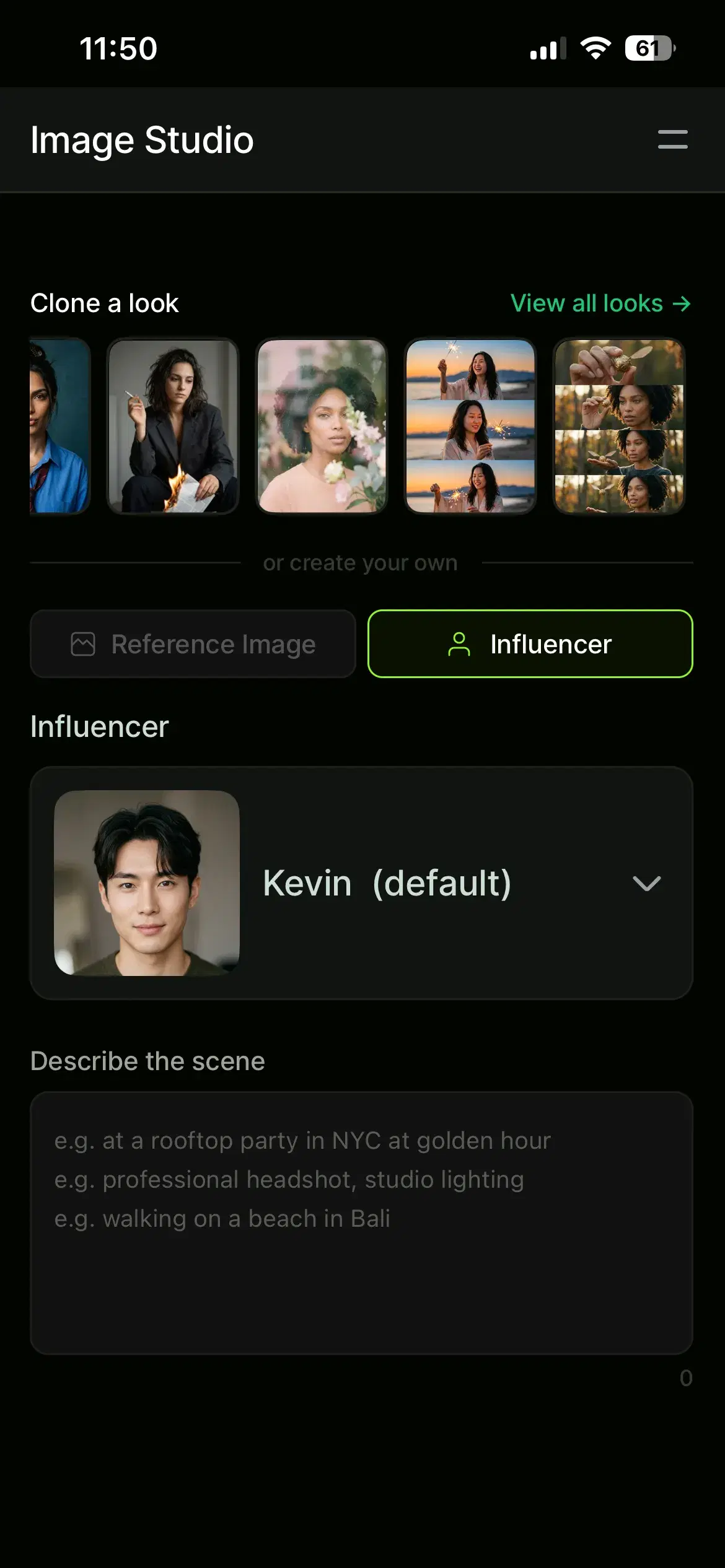
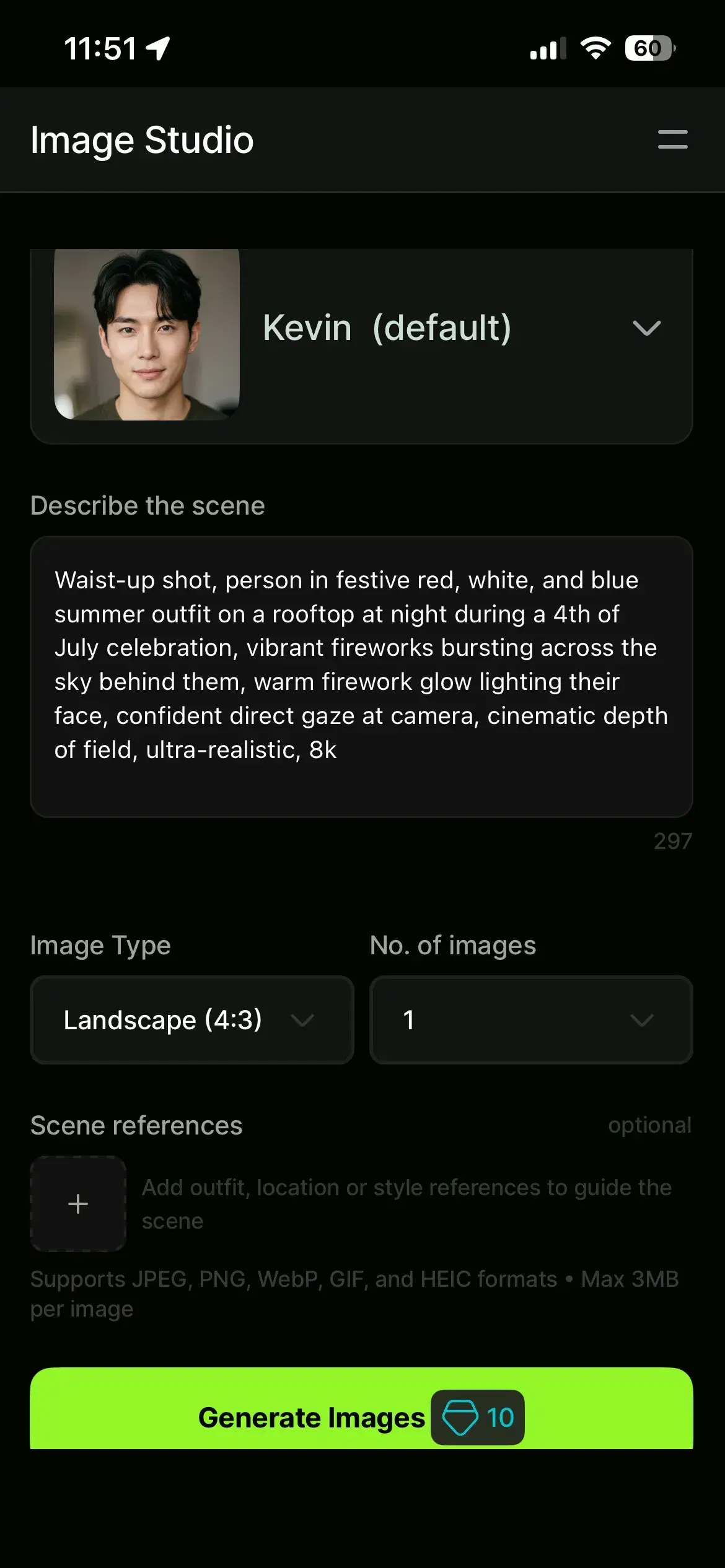
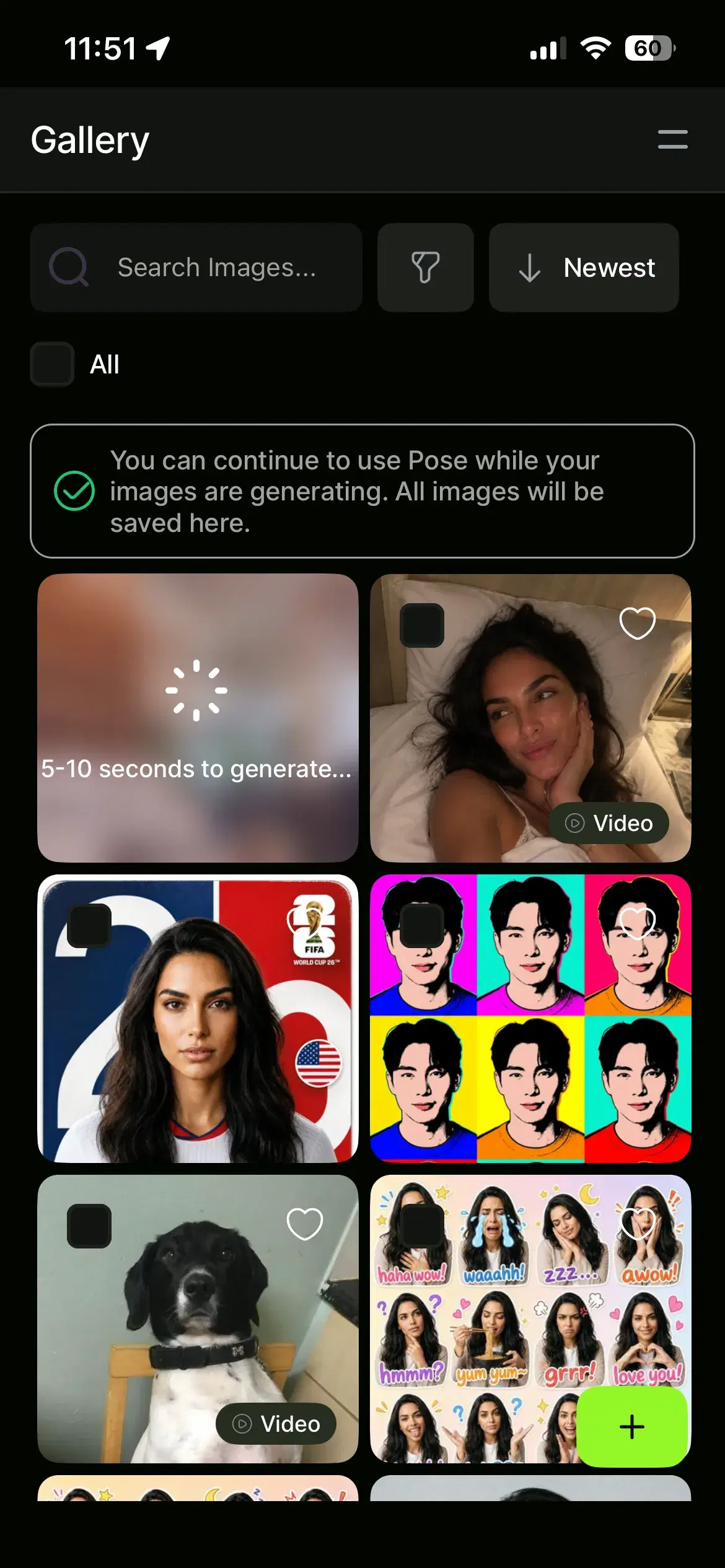
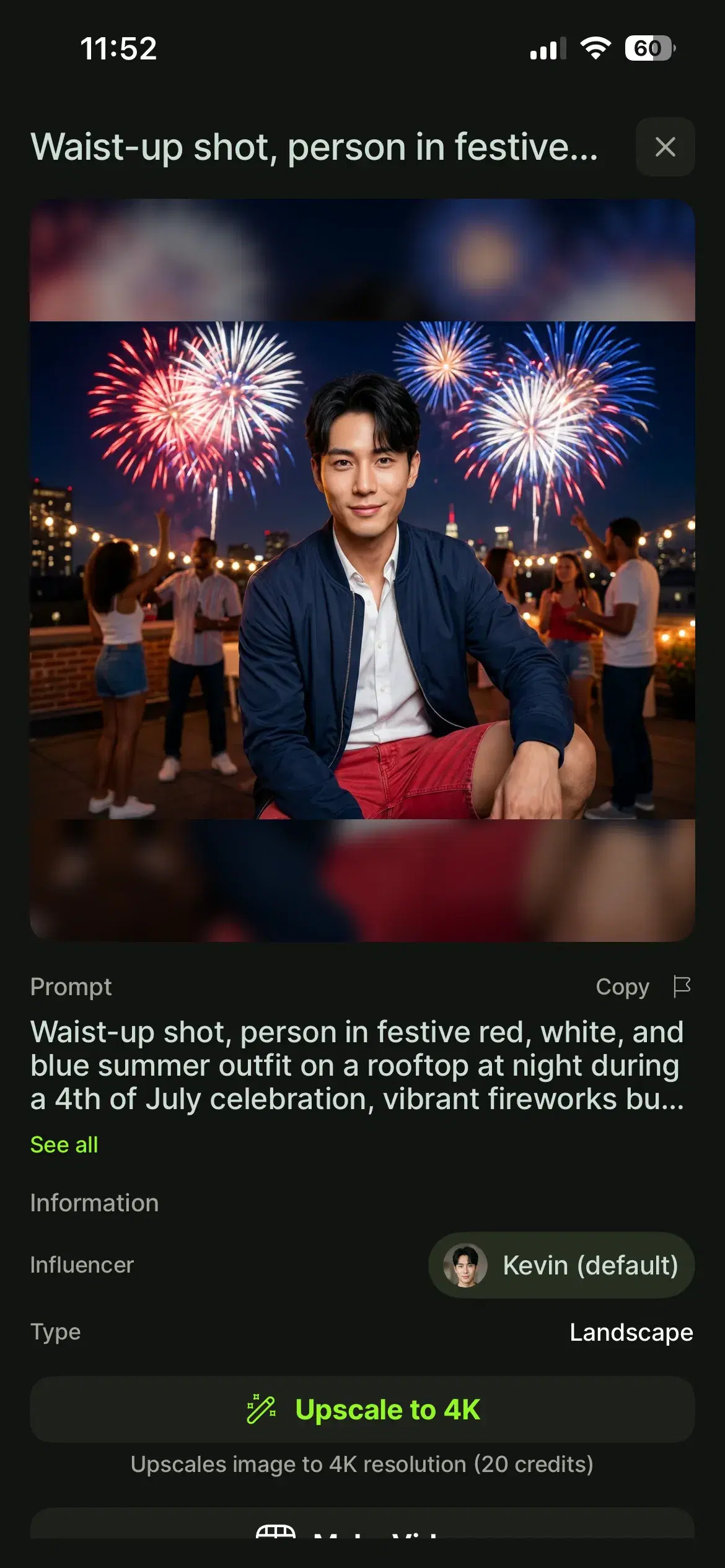
Start from the AI 4th of July Photos style to see example scenes and generate your own patriotic portraits.
When to use each tool
Choose Pose AI if you are a creator or professional who wants custom, identity-locked 4th of July photos plus headshots and video from one platform — and you want results that look like you, not a generic template.
Choose Softonic USA Flag Editor if you are a casual Android user who just wants to add a quick flag filter to an existing photo. Choose Freepik if you are a designer looking for stock templates and design assets rather than AI-generated images of yourself.
Pose AI also includes native video generation — turn a 4th of July portrait into a short clip with Kling, Veo, or Sora 2, covered by the same weekly credits.
For the full plan details, see Pose AI pricing — $4.99 the first week, then $14.99/week with 400 credits, cancel anytime.