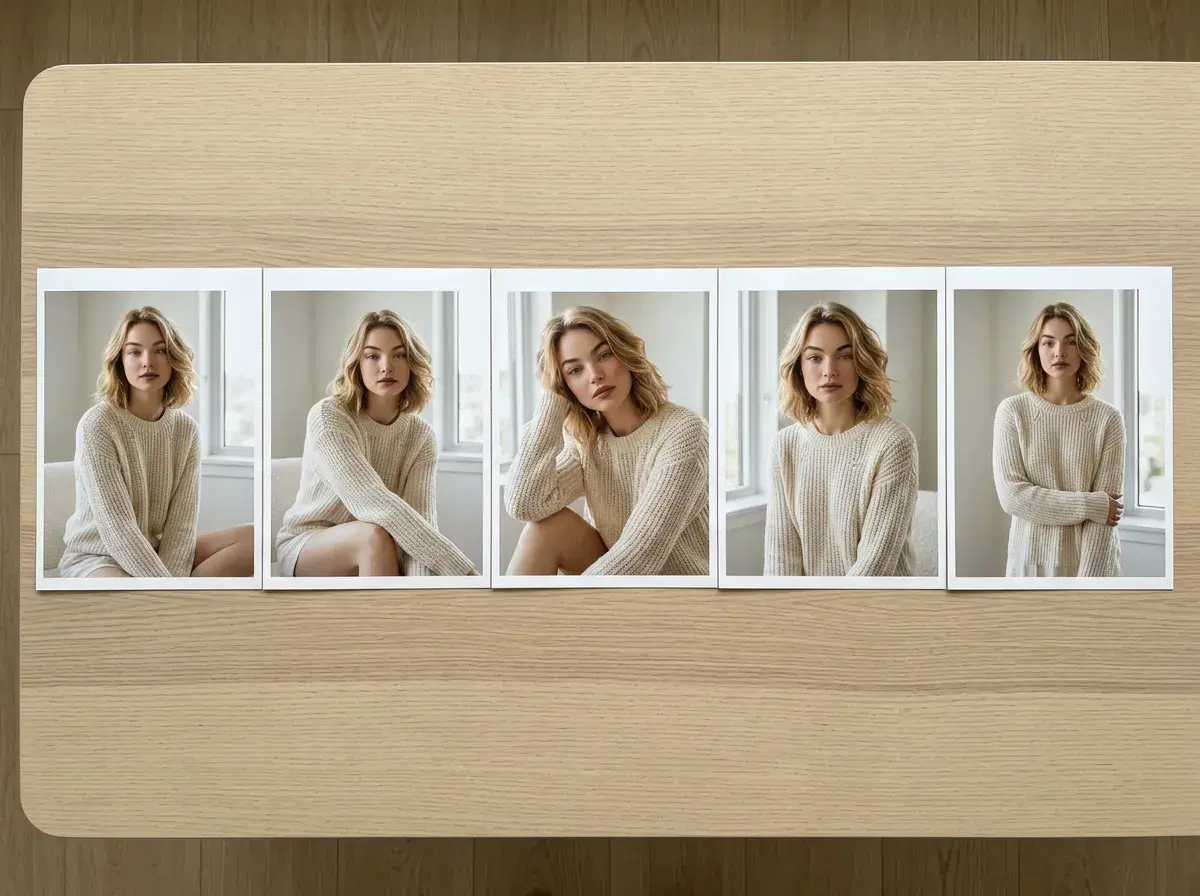
Generating several AI images of the same person is easy; keeping the face the same across all of them is the hard part. Most image models re-imagine the person every time, so image three looks like a cousin of image one.
The fix is identity lock: a model that reads a face from a reference photo and holds it fixed while the prompt changes the scene. Pose AI does this with Nano Banana 2 from one uploaded selfie, so a set of five or more images reads as one person throughout.
- Use an identity-locked generator: Pose locks your face from one selfie via Nano Banana 2.
- Keep the face out of the prompt — describe scene, wardrobe, angle, and light instead.
- Change one variable per image (angle, pose, or setting) and keep the rest constant for a cohesive set.
- Consistency is only for your own face, or someone who has given you their photo and consent.
- 400 credits every week on the $14.99/week plan — a generous allowance, not an unlimited one.
Key terms
Consistent character generation means producing multiple AI images in which the same person is recognizable every time — same face shape, features, and proportions — while the scene, outfit, or angle changes.
Identity lock is the mechanism that makes it work: the model reads the face from a reference photo at generation time and treats it as fixed, so prompts only control what's around the person. In Pose there's no training step; the lock comes from one selfie.
Step by step: a five-image set in one setting
- 1Upload one clear selfieFront-facing, sharp, well lit. This is the only face reference the set will use.
- 2Fix the setting and wardrobePick one scene and keep it constant — for example a bright, minimal bedroom with linen bedding and morning window light, outfit a cream knit sweater. Holding these steady is what makes the set read as one shoot.
- 3Vary one thing per imageImage 1: seated on the bed, facing camera. Image 2: standing by the window, three-quarter angle. Image 3: close-up, reading with coffee. Image 4: from slightly above, relaxed on pillows. Image 5: walking past the doorway, mid-step.
- 4Generate and compareLay the five side by side. Because the face is locked, it should match throughout; if one drifts, regenerate just that image.
- 5Keep what reads naturalChoose the outputs with believable light and relaxed expressions over the most polished ones — that's what makes a set look like real photos.
Pose AI vs other ways to get a consistent character
| Approach | How consistency is achieved | Effort |
|---|---|---|
| Pose AI | Identity lock from one selfie, every generation | Low — no training, no prompt tricks |
| Prompt-only image models | Re-describing the person each time; drifts | High, and still inconsistent |
| Character-reference features | A reference image per generation | Medium — works, but varies by model |
| Training a custom model | Fine-tuning on a batch of photos | High — many photos and a wait |
All of these can produce good single images. The difference is how much work it takes to keep the same face across a set.
Consent comes first
Identity lock reproduces a real person's face, so only use your own photo or one you have clear permission to use. Generating images of someone without their consent — especially intimate or suggestive ones — is harmful and, in many places, illegal.
Learn how to write prompts around a locked face in the identity lock prompts guide.
Start with a consistent set of AI headshots.
Try a home-interior look with AI luxury lifestyle photos.