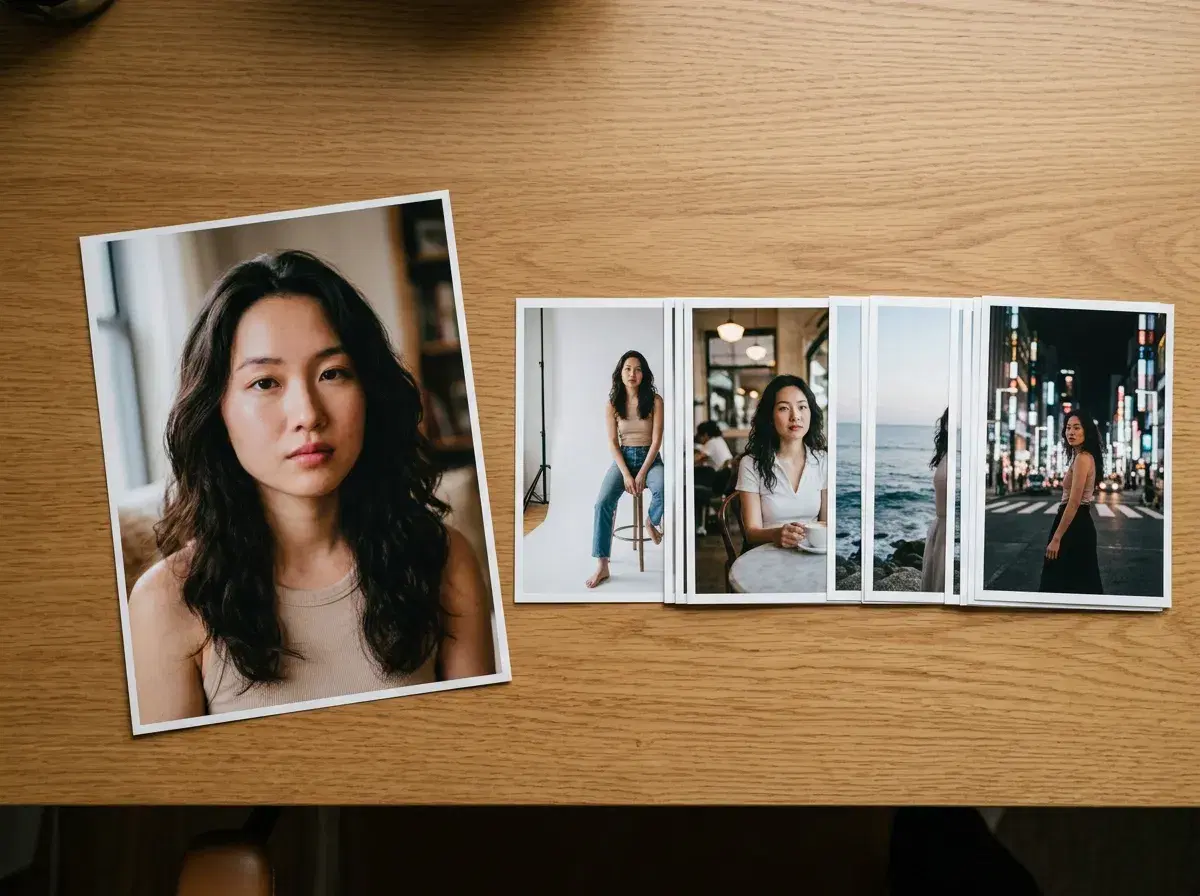
An identity lock prompt is a prompt written for a model that already knows whose face to use. Because the identity is fixed from a reference photo, the prompt describes everything except the person: scene, wardrobe, framing, light, and motion.
Pose AI locks identity from one uploaded selfie — Nano Banana 2 for images, and the same locked identity carried into video through engines like Kling and SeedDance. This guide explains how that changes the way you write prompts.
- Identity lock: the model reads your face from one selfie and holds it fixed across every generation.
- In Pose, Nano Banana 2 locks identity for images; Kling and SeedDance carry it into video.
- No training step — the lock happens at generation time from a single photo.
- Write prompts about framing, wardrobe, setting, and lighting. Never describe the face.
- You still need prompts, or a preset style — identity lock replaces describing yourself, not describing the scene.
Identity lock vs traditional prompt engineering
Traditional prompt engineering tries to produce a specific-looking person through description — hair, age, features, ethnicity. It never quite works, because a text description can match millions of faces and the model picks a different one every time.
Identity lock removes the face from the prompt's job entirely. The face comes from the photo; the prompt only controls what surrounds it. That's why describing your own features in an identity-locked prompt usually hurts: it competes with the reference instead of adding to it.
Identity lock prompt examples
1. Headshot
"Chest-up shot, person in a charcoal blazer against a soft grey studio backdrop, single key light from the left, editorial photography, ultra-realistic, 8k"
2. Lifestyle
"Three-quarter shot, person in a linen shirt at a sunlit cafe table, facing the camera, warm morning light, shallow depth of field, ultra-realistic, 8k"
3. Travel
"Waist-up shot, person in a light jacket on a coastal cliff at golden hour, direct look at camera, ocean behind, warm rim light, ultra-realistic, 8k"
4. Video
"Medium shot, person walks toward the camera along a rainy neon street, slow push-in, reflections on wet pavement, cinematic"
More copy-paste prompts in the Pose AI prompt library.
The full formula is in how to write Pose AI prompts.
Try identity-locked images with AI headshots.
See identity lock in motion in Pose AI Video Studio.