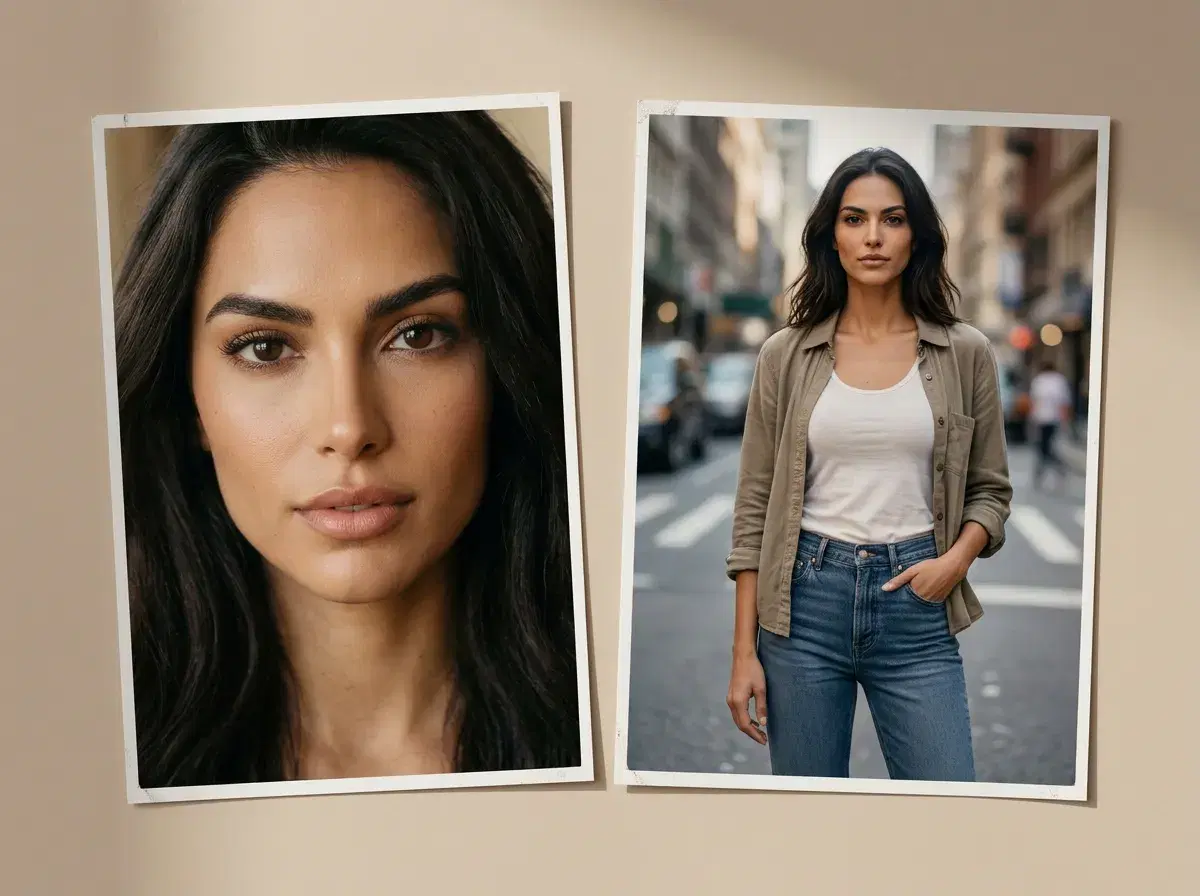
Portraits (close-up, chest-up-or-tighter) and full-body shots (standing, posed, whole figure) ask Pose AI's Image Studio for different things — and in practice that means a different model bias and prompt style gets you there faster. This is a use-case-by-use-case reference, not just "pick a surface" advice.
As with all Pose generation, both start from the same single uploaded selfie — there's no separate upload or account per framing.
- Portraits: headshots, close-ups — chest-up framing, controlled lighting, generated primarily via Nano Banana 2's headshot-tuned styles.
- Full-body: lifestyle, UGC — standing or posed full-figure shots, generated via Image Studio's broader style packs and Clone a Look for outfit/pose references.
- Both draw from the same weekly credit pool and the same one-selfie upload — the difference is which style pack and prompt structure you reach for, not a separate tool or account.
- Turn either into a moving clip afterward with Video (Kling for camera movement, SeedDance for subject motion).
Key terms
A portrait, for this purpose, is a close-up or chest-up framing where the face carries the whole image — a headshot, a LinkedIn photo, a dating-profile close-up. The prompt structure tends to specify framing ("chest-up"), lighting ("soft studio lighting"), and background ("plain grey backdrop").
A full-body shot shows the whole figure — standing, walking, posed against a setting — and needs the prompt to additionally specify pose, outfit, and environment, since there's more of the frame for the model to get right at once.
Portrait vs full-body, use case by use case
| Use case | Pose tool | Best-fit model | Example prompt |
|---|---|---|---|
| LinkedIn / corporate headshot | Headshots, Image Studio | Nano Banana 2 | "Chest-up corporate headshot, soft studio lighting, plain grey background" |
| Dating profile close-up | Headshots, Image Studio | Nano Banana 2 | "Close-up dating profile photo, natural daylight, relaxed smile" |
| Instagram lifestyle / outfit post | Image Studio, Clone a Look | Nano Banana 2 + Flux Kontext | "Full-body streetwear outfit shot, city sidewalk background" |
| Fashion / full-length shot | Image Studio | Flux Kontext | "Full-length fashion shot against a plain studio backdrop" |
| UGC-style full-body clip | Image Studio, then Video | Nano Banana 2, then Kling or SeedDance | "Standing lifestyle photo in a coffee shop" — then animate with Video |
For which internal Pose surface to reach for by framing, see the best AI photo tool for portraits & full-body shots.
Start with a portrait on the AI headshots page.